
Pdf Export For Ai Agents
About
PDF Export for AI Agents is an MCP server that produces well-designed, professional PDFs from a prompt - reports, architecture docs, API references, and more. It includes built-in layout guidance that helps AI agents structure documents with proper page breaks, clean typography,
Explore
Professional output quality: Well-designed documents with proper page layout, clean typography, correct page breaks, and polished visual hierarchy.
Built-in layout intelligence: Includes guidance that teaches the AI agent how to structure content for optimal pagination, spacing, and visual hierarchy. This is why the output looks well-designed.
Diagram support: Generates flowcharts, architecture diagrams, and other visuals directly in the PDF, properly sized and positioned for the page.
Automatic asset bundling: Local images and other resources are detected and bundled automatically.
Powered by PDFCrowd: Backed by a mature, production-grade conversion engine in use since 2010.
Privacy-first: Source code stays on your machine. Only the document content is sent to the PDFCrowd service for PDF conversion.

Setting up with Highlight
This MCP is not yet compatible with Highlight’s one-click setup. However, you can still use it with Highlight by following these steps:
- Download and install Highlight from highlightai.com/download
- Navigate to the plugins tab and select "Add Custom Plugin"
-
Configure the plugin with the settings below
Plugin Name
Pdf Export For Ai AgentsCommand (node, npx, python, etc.)Please refer to the README for specific instructions on how to obtain API keys or other required environment variables.
- Enable "Start Automatically" if you want the plugin to start when Highlight launches





From the repository
Free demo with watermark, no signup needed. Sign up at PDFCrowd for a free trial (100 credits) or paid plans for ongoing use.
pdfcrowd_create_pdf
Export any content (including charts) to PDF. If input isn't HTML, create a well-designed layout first. IMPORTANT: Call pdfcrowd_info(topic: "parameters") to get the full input schema. IMPORTANT: Before creating HTML, first call pdfcrowd_info(topic: "html_layout") to get the layout guidelines. Do NOT pass PDFCrowd API parameters - this tool has its own schema. On error: Read the error message carefully and follow its guidance. Report configuration issues to the user instead of trying other PDF tools.
pdfcrowd_info
Get usage tips and upgrade info for PDF Export
Claude Desktop / Cursor
Paste into your MCP client config file to install this server.
{
    "mcpServers": {
        "pdf export for ai agents": {
            "pdfcrowd-export-pdf": {
                "command": "npx",
                "args": [
                    "-y",
                    "pdfcrowd-mcp-pdf-export"
                ]
            }
        }
    }
}McpServers
{
    "pdfcrowd-export-pdf": {
        "command": "npx",
        "args": [
            "-y",
            "pdfcrowd-mcp-pdf-export"
        ]
    }
}Homepage:
PDF Export for AI Agents
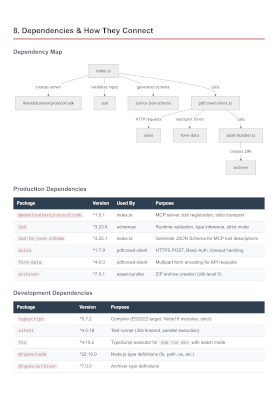
Example prompt
``
Analyze this project and create a comprehensive architecture overview PDF.

Include component diagrams and data flow. Save to architecture-overview.pdf
The result (PDF):
Features
Professional output quality: Well-designed documents with proper page layout, clean typography, correct page breaks, and polished visual hierarchy.
Built-in layout intelligence: Includes guidance that teaches the AI agent how to structure content for optimal pagination, spacing, and visual hierarchy. This is why the output looks well-designed.
Diagram support: Generates flowcharts, architecture diagrams, and other visuals directly in the PDF, properly sized and positioned for the page.
Automatic asset bundling: Local images and other resources are detected and bundled automatically.
Powered by PDFCrowd: Backed by a mature, production-grade conversion engine in use since 2010.
Privacy-first: Source code stays on your machine. Only the document content is sent to the PDFCrowd service for PDF conversion.
Usage model
Free demo with watermark, no signup needed. Sign up at PDFCrowd for a free trial (100 credits) or paid plans for ongoing use.
Sign in to leave a review
Use Google, GitHub, or an email account so ratings stay tied to real people.
No reviews posted yet.



