
Penpot Mcp
About
Penpot MCP is a revolutionary Model Context Protocol (MCP) server that bridges the gap between AI language models and Penpot, the open-source design and prototyping platform. This integration enables AI assistants like Claude (in both Claude Desktop and Cursor IDE) to understand,
Explore
- MCP Protocol Implementation: Full compliance with Model Context Protocol standards
- Real-time Design Access: Direct integration with Penpot's API for live design data
- Component Analysis: AI-powered analysis of design components and layouts
- Export Automation: Programmatic export of design assets in multiple formats
- Design Validation: Automated design system compliance checking
- Claude Desktop & Cursor Integration: Native support for Claude AI assistant in both Claude Desktop and Cursor IDE
- Design Context Sharing: Provide design context to AI models for better responses
- Visual Component Recognition: AI can "see" and understand design components
- Natural Language Queries: Ask questions about your designs in plain English
- IDE Integration: Seamless integration with modern development environments
Both Claude Desktop and Cursor integration provide:
- Direct access to Penpot projects and files
- Visual component analysis with AI-powered insights
- Design export capabilities for assets and components
- Natural language queries about your design files
- Real-time design feedback and suggestions
- Design system documentation generation

Setting up with Highlight
This MCP is not yet compatible with Highlight’s one-click setup. However, you can still use it with Highlight by following these steps:
- Download and install Highlight from highlightai.com/download
- Navigate to the plugins tab and select "Add Custom Plugin"
-
Configure the plugin with the settings below
Plugin Name
Penpot McpCommand (node, npx, python, etc.)Please refer to the README for specific instructions on how to obtain API keys or other required environment variables.
- Enable "Start Automatically" if you want the plugin to start when Highlight launches





From the repository
- Python 3.12+ (Latest Python recommended for optimal performance)
- Penpot Account (Sign up free)
- Claude Desktop or Cursor IDE (Optional, for AI integration)
pip install penpot-mcp
uvx penpot-mcp
uv add penpot-mcp
penpot-mcp
python -m mcp.cli monitor --port 5000
list_projects
Retrieve a list of all available Penpot projects.
get_project_files
Get all files contained within a specific Penpot project. Args: project_id: The ID of the Penpot project
get_file
Retrieve a Penpot file by its ID and cache it. Don't use this tool for code generation, use 'get_object_tree' instead. Args: file_id: The ID of the Penpot file
export_object
Export a Penpot design object as an image. Args: file_id: The ID of the Penpot file page_id: The ID of the page containing the object object_id: The ID of the object to export export_type: Image format (png, svg, etc.) scale: Scale factor for the exported image
get_object_tree
Get the object tree structure for a Penpot object ("tree" field) with rendered screenshot image of the object ("image.mcp_uri" field). Args: file_id: The ID of the Penpot file object_id: The ID of the object to retrieve fields: Specific fields to include in the tree (call "penpot_tree_schema" resource/tool for available fields) depth: How deep to traverse the object tree (-1 for full depth) format: Output format ('json' or 'yaml')
search_object
Search for objects within a Penpot file by name. Args: file_id: The ID of the Penpot file to search in query: Search string (supports regex patterns)
penpot_schema
Provide the Penpot API schema as JSON.
penpot_tree_schema
Provide the Penpot object tree schema as JSON.
get_rendered_component
Return a rendered component image by its ID.
get_cached_files
List all files currently stored in the cache.
- list_projects - List all Penpot projects
- get_project_files - Get files for a specific project
- get_file - Retrieve a Penpot file by its ID and cache it
- export_object - Export a Penpot object as an image
- get_object_tree - Get the object tree structure for a Penpot object
- search_object - Search for objects within a Penpot file by name
Claude Desktop / Cursor
Paste into your MCP client config file to install this server.
{
    "mcpServers": {
        "penpot mcp": {
            "penpot": {
                "command": "uvx",
                "args": [
                    "penpot-mcp"
                ],
                "env": {
                    "PENPOT_API_URL": "https://design.penpot.app/api",
                    "PENPOT_USERNAME": "your_penpot_username",
                    "PENPOT_PASSWORD": "your_penpot_password"
                }
            }
        }
    }
}McpServers
{
    "penpot": {
        "command": "uvx",
        "args": [
            "penpot-mcp"
        ],
        "env": {
            "PENPOT_API_URL": "https://design.penpot.app/api",
            "PENPOT_USERNAME": "your_penpot_username",
            "PENPOT_PASSWORD": "your_penpot_password"
        }
    }
}
<p align="center">

</p>
<p align="center">
<strong>AI-Powered Design Workflow Automation</strong><br>
Connect Claude AI and other LLMs to Penpot designs via Model Context Protocol
</p>
<p align="center">
<a href="https://github.com/montevive/penpot-mcp/blob/main/LICENSE">

</a>
<a href="https://www.python.org/downloads/">
</a>
<a href="https://pypi.org/project/penpot-mcp/">
</a>
<a href="https://github.com/montevive/penpot-mcp/actions">
</a>
</p>



---
🚀 What is Penpot MCP?
Penpot MCP is a revolutionary Model Context Protocol (MCP) server that bridges the gap between AI language models and Penpot, the open-source design and prototyping platform. This integration enables AI assistants like Claude (in both Claude Desktop and Cursor IDE) to understand, analyze, and interact with your design files programmatically.
🎯 Key Benefits
- 🤖 AI-Native Design Analysis: Let Claude AI analyze your UI/UX designs, provide feedback, and suggest improvements
- ⚡ Automated Design Workflows: Streamline repetitive design tasks with AI-powered automation
- 🔍 Intelligent Design Search: Find design components and patterns across your projects using natural language
- 📊 Design System Management: Automatically document and maintain design systems with AI assistance
- 🎨 Cross-Platform Integration: Works with any MCP-compatible AI assistant (Claude Desktop, Cursor IDE, etc.)
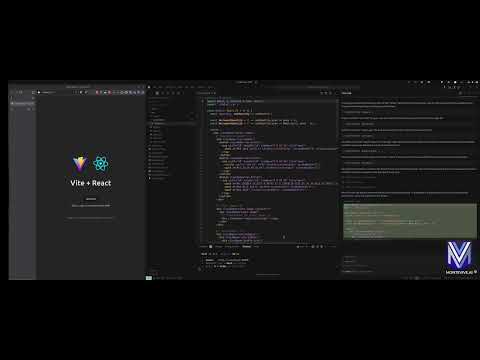
🎥 Demo Video
Check out our demo video to see Penpot MCP in action:
✨ Features
🔌 Core Capabilities
- MCP Protocol Implementation: Full compliance with Model Context Protocol standards - Real-time Design Access: Direct integration with Penpot's API for live design data - Component Analysis: AI-powered analysis of design components and layouts - Export Automation: Programmatic export of design assets in multiple formats - Design Validation: Automated design system compliance checking🛠️ Developer Tools
- Command-line Utilities: Powerful CLI tools for design file analysis and validation - Python SDK: Comprehensive Python library for custom integrations - REST API: HTTP endpoints for web application integration - Extensible Architecture: Plugin system for custom AI workflows🎨 AI Integration Features
- Claude Desktop & Cursor Integration: Native support for Claude AI assistant in both Claude Desktop and Cursor IDE - Design Context Sharing: Provide design context to AI models for better responses - Visual Component Recognition: AI can "see" and understand design components - Natural Language Queries: Ask questions about your designs in plain English - IDE Integration: Seamless integration with modern development environments💡 Use Cases
For Designers
- Design Review Automation: Get instant AI feedback on accessibility, usability, and design principles - Component Documentation: Automatically generate documentation for design systems - Design Consistency Checks: Ensure brand guidelines compliance across projects - Asset Organization: AI-powered tagging and categorization of design componentsFor Developers
- Design-to-Code Workflows: Bridge the gap between design and development with AI assistance - API Integration: Programmatic access to design data for custom tools and workflows - Automated Testing: Generate visual regression tests from design specifications - Design System Sync: Keep design tokens and code components in syncFor Product Teams
- Design Analytics: Track design system adoption and component usage - Collaboration Enhancement: AI-powered design reviews and feedback collection - Workflow Optimization: Automate repetitive design operations and approvals - Cross-tool Integration: Connect Penpot with other tools in your design workflow🚀 Quick Start
Prerequisites
- Python 3.12+ (Latest Python recommended for optimal performance)
- Penpot Account (Sign up free)
- Claude Desktop or Cursor IDE (Optional, for AI integration)
Installation
Prerequisites
- Python 3.12+
- Penpot account credentials
Installation
Option 1: Install from PyPI
pip install penpot-mcp
Option 2: Using uv (recommended for modern Python development)
```bash
Sign in to leave a review
Use Google, GitHub, or an email account so ratings stay tied to real people.
No reviews posted yet.



