
Rive MCP
About
Rive MCP let AI handle repetitive tasks, like creating complex View Models, State Machines with hundreds of states/layers, Layouts, Shapes, and more.
Explore

Setting up with Highlight
This MCP is not yet compatible with Highlight’s one-click setup. However, you can still use it with Highlight by following these steps:
- Download and install Highlight from highlightai.com/download
- Navigate to the plugins tab and select "Add Custom Plugin"
-
Configure the plugin with the settings below
Plugin Name
Rive MCPCommand (node, npx, python, etc.)Please refer to the README for specific instructions on how to obtain API keys or other required environment variables.
- Enable "Start Automatically" if you want the plugin to start when Highlight launches





16 tools to remove backgrounds, blur or grayscale backgrounds, change colors, convert formats (PNG/JPEG/WebP/…), upscale, denoise/enhance, run OCR, export PDF, edit text in images (Gemini), clean watermarks, inpaint masked regions, and run bulk resize / convert / quality checks.
Edit your Church website with ChatGPT or Claude
Hosted remote MCP server for AI image and video generation from one Streamable HTTP endpoint.](/servers/ctrlsignal-com)
Claude Desktop / Cursor
Paste into your MCP client config file to install this server.
{
    "mcpServers": {
        "rive mcp": {
            "server": {
                "command": "npx",
                "args": [
                    "-y",
                    "rive-mcp-server"
                ]
            }
        }
    }
}McpServers
{
    "server": {
        "command": "npx",
        "args": [
            "-y",
            "rive-mcp-server"
        ]
    }
}
Transport
"stdio"Package
"rive-mcp-server"Registry
"npm"- Create and manage Rive files— Ask the AI to add, rename, resize, arrange, or focus artboards within an open Rive file.
- Inspect and edit the scene— Query object hierarchies, select elements, and update properties like renaming, duplicating, reordering, reparenting, or deleting.
- Build designs— Generate shapes, paths, layouts, component instances, component lists, and asset-based elements directly in the editor.
- Create animation and interaction— Edit linear animations, state machines, states, transitions, conditions, keyframes, and interpolation via natural language.
- Work with data binding— Create view models, properties, instances, bindings, and custom property groups for complex data-driven interactions.
- Edit scripts and shaders— Manage Luau scripts and WGSL shaders, update source code, run diagnostics, recompile, test, search code, and read console output.
export const YouTube = ({id, timestamp}) => { const videoSrc = timestamp ?https://www.youtube.com/embed/${id}?start=${timestamp}:https://www.youtube.com/embed/${id}; return <!-- -->; };<!-- -->
MCP integration is currently available only in the desktop Editor for Windows and macOS.
You can connect the Rive Editor to AI tools through MCP (Model Context Protocol). The first set of tools are designed to let AI handle repetitive tasks, like creating complex View Models, State Machines with hundreds of states/layers, Layouts, Shapes, and more.
- Create and manage Rive files— add, rename, resize, arrange, and focus artboards.
- Inspect and edit the scene— query hierarchies, select objects, update properties, rename, duplicate, reorder, reparent, or delete elements.
- Build designs— create shapes, paths, layouts, component instances, component lists, and asset-based elements.
- Create animation and interaction— edit linear animations, state machines, states, transitions, conditions, keyframes, and interpolation.
- Work with data binding— create view models, properties, instances, bindings, and custom property groups.
- Edit scripts and shaders— manage Luau scripts and WGSL shaders, update source code, run diagnostics, recompile, test, search code, and read console output.
This list of features will evolve over time as more tools are added.
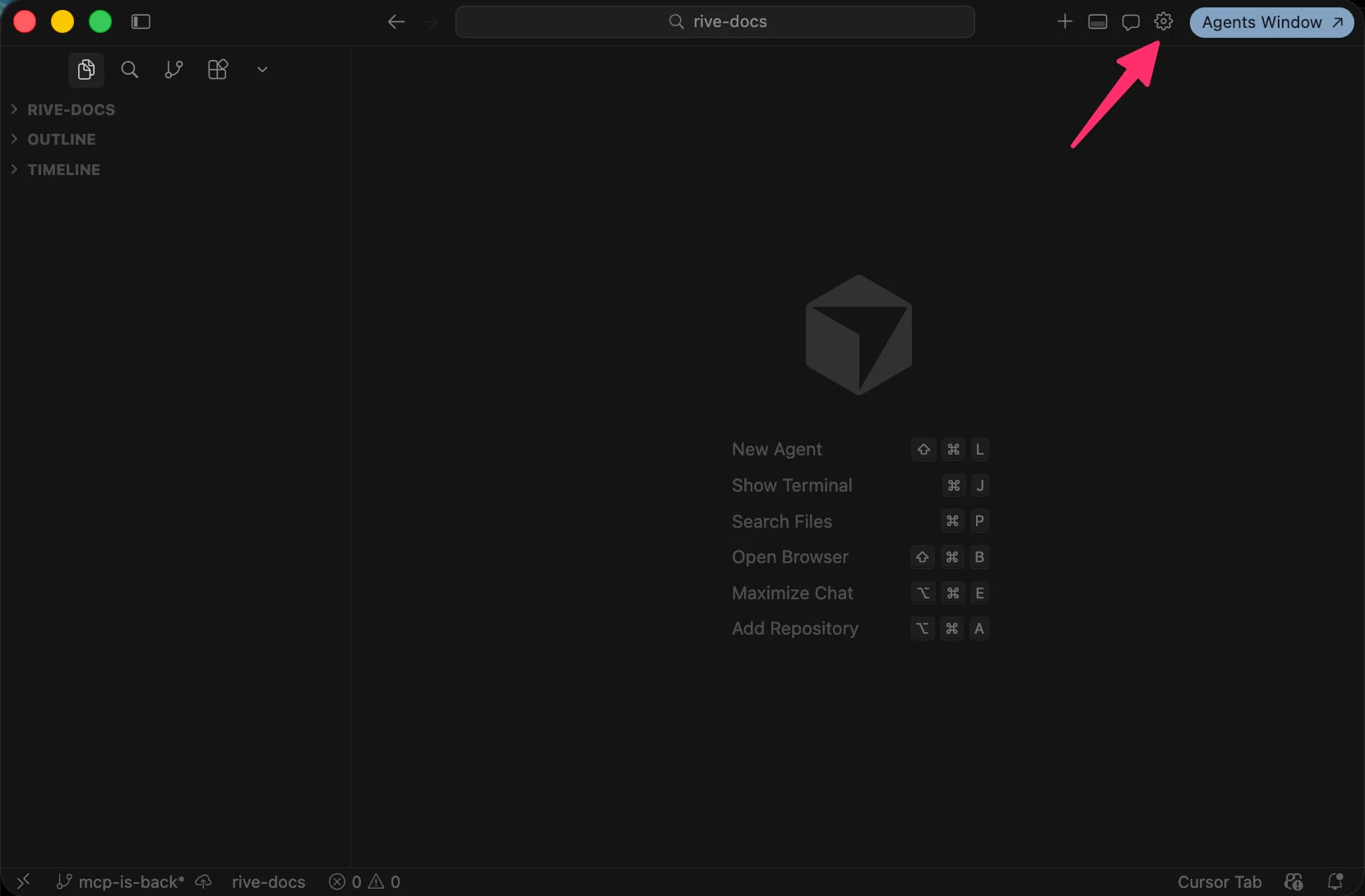
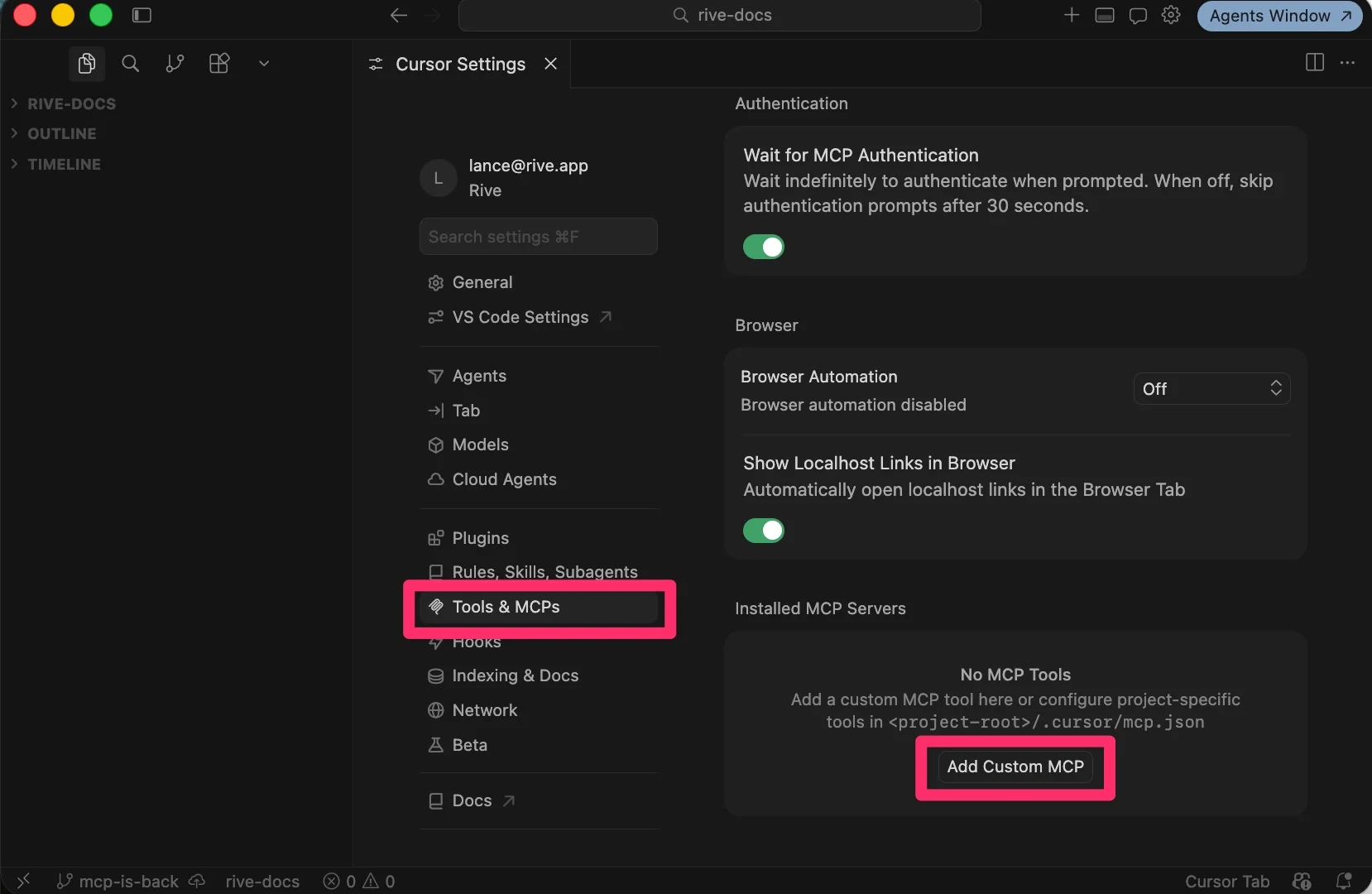
json theme={null} { "mcpServers": { "rive": { "url": "http://127.0.0.1:9791/mcp" } } } 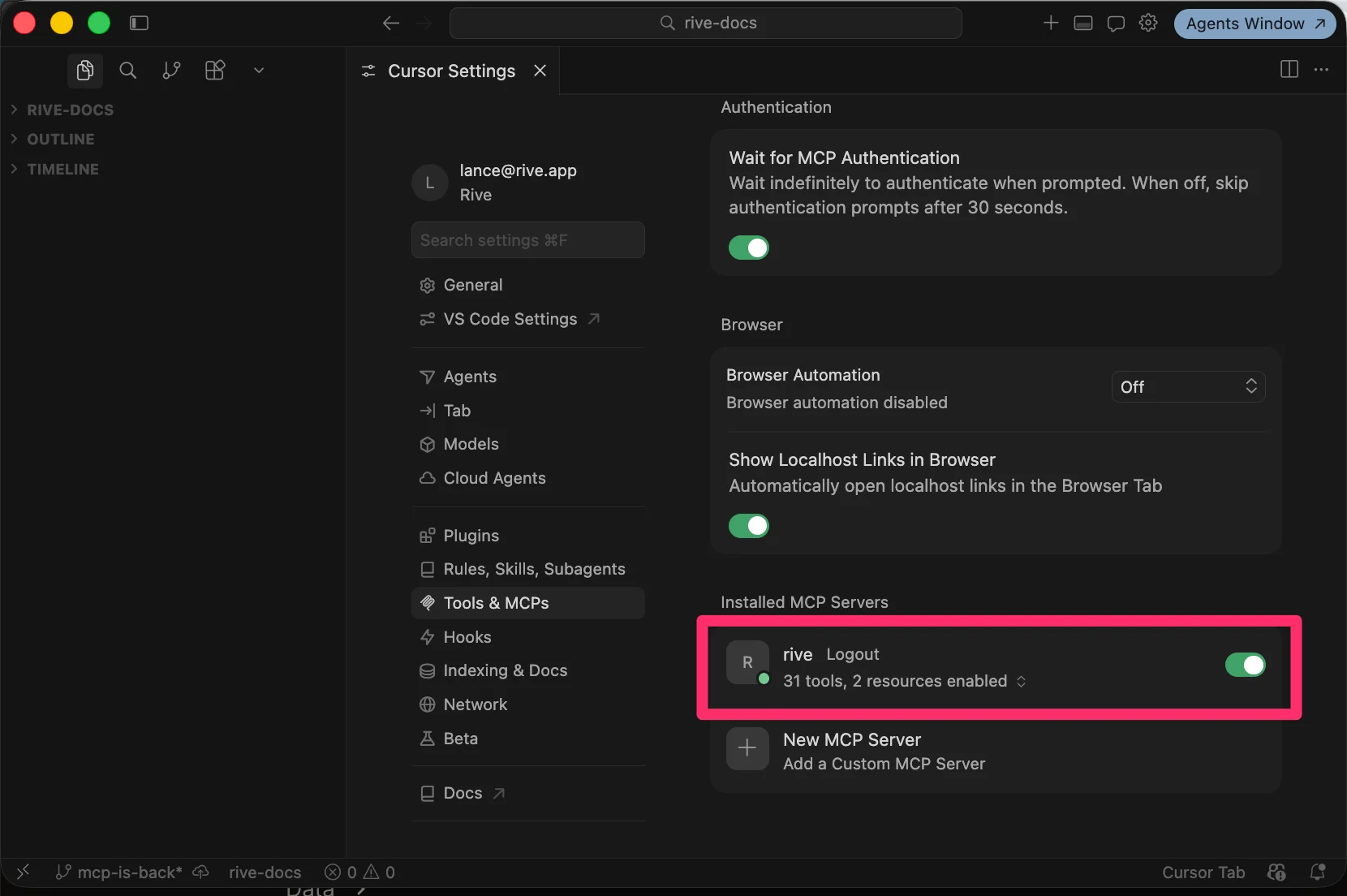
For the Rive server to be available, you must have the Rive Early Access app opened.
Additional information on setting up MCP can be foundhere.
shell theme={null} claude mcp add --transport http rive http://127.0.0.1:9791/mcp Once Cursor is installed and everything is set up correctly, it's time to start prompting the AI.
Example prompt: Ctrl Signal MCP - the harness for your AI generated landing pages
Your AI generates the landing page; ctrlsignal is the harness around it — hosting, lead capture, bookings, workflows and one-click rollback that turn a generated page into a live, lead-capturing site. Build in Claude Code, Cursor or any MCP client; no deploy config, no glue code.
A lightweight MCP (Model Context Protocol) server for Blender. It offers a natural language interface with Blender’s Python API, improving access to documentation, and allowing users to explore and understand complex setups.
The Lottie Creator MCP brings your AI assistant directly into your animation workflow — giving it full access to LottieFiles Creator so it can build and edit Lottie animations on your behalf through natural language.
AI Video, Image & Audio Generation with over 150 models
Create, edit, and export SVGator animations (SVG, Lottie, GIF, video) from your AI assistant, and keep an editable project you can open in the editor anytime.
You're agent can Chain 60+ AI image and video models on one workflow canvas
Convert photos to LEGO-style brick mosaic previews with AI-powered color quantization. MCP server for Claude, Cursor, and other AI agents.
Changeimageto - Free Image Editing tools
16 tools to remove backgrounds, blur or grayscale backgrounds, change colors, convert formats (PNG/JPEG/WebP/…), upscale, denoise/enhance, run OCR, export PDF, edit text in images (Gemini), clean watermarks, inpaint masked regions, and run bulk resize / convert / quality checks.
Edit your Church website with ChatGPT or Claude
Hosted remote MCP server for AI image and video generation from one Streamable HTTP endpoint.
Sign in to leave a review
Use Google, GitHub, or an email account so ratings stay tied to real people.
No reviews posted yet.



