
Selenium Mcp
About
MCP tools build using selenium to automate web testing or scraping
Details
- License
- MIT
Explore
1. Humanised error handleing, enables LLM to intreperate errors and reconfigure tool usage accordingly
2. Comprehensive element interaction: Clicks, input, select are performed by checking if element is visible, enabled, clickable, etc
3. Full Navigation control: Open New url, click forward, backward, refresh, etc
The tools leverages following technologies to support
1. FastMCP: For MCP server implementation
2. Selenium: For web automation
3. Google GenAI: For AI assistant

Setting up with Highlight
This MCP is not yet compatible with Highlight’s one-click setup. However, you can still use it with Highlight by following these steps:
- Download and install Highlight from highlightai.com/download
- Navigate to the plugins tab and select "Add Custom Plugin"
-
Configure the plugin with the settings below
Plugin Name
Selenium McpCommand (node, npx, python, etc.)Please refer to the README for specific instructions on how to obtain API keys or other required environment variables.
- Enable "Start Automatically" if you want the plugin to start when Highlight launches





From the repository
Clone the repository
git clone {url}
Create virtual environment
python3 -m venv venv
source venv/bin/activate
Install dependencies
pip install -r requirements.txt
Run the server
python server.py
The package comes with a lightweight MCP client using Google GenAI SDK to test the server. It is implemented in server.py file. To use it, you need to have a Google GenAI API key. Set it in the .env file as GEMINI_API_KEY={your_api_key}.
Run the client
python server.py
Claude Desktop / Cursor
Paste into your MCP client config file to install this server.
{
    "mcpServers": {
        "selenium mcp": {
            "selenium_mcp": {
                "command": "python3",
                "args": [
                    "-m",
                    "venv",
                    "venv"
                ]
            }
        }
    }
}McpServers
{
"selenium_mcp": {
"command": "python3",
"args": [
"-m",
"venv",
"venv"
]
}
}




Introduction
This server is implemented in python to bridge the gap between the AI Assistant or (custom MCP clients) and Selenium Webdrivers. It exposes selenium webdriver functionalities as MCP tools allowing AI assistanct/MCP clients to user them to perform task for web automation, web testing or web scraping.Release Notes
Version 2.0.1 - Release 11 April 2026
In this version, minor enhancements are made in error code, return types and readme file 1. Retun type changes from Union[None, dict], int, bool to str in 1. cookies.py 2. find.py 3. get.py 4. input.pyVersion 2.0.0 - Release 4 April 2026
In this version, we have done some structural changes like seperating functions into save and get. Now save is just focused on saving files on the disk. And get is where LLM wants to get the data from the browser.Following are the list of enhancements:
1. Get: To get webpage as markdown, html, screenshot, element's screenshot, list of urls
2. JS Executor: To execute javascript code for interacting with the webpage
3. Files: To upload and download files
4. Alerts: To handle alerts
5. Click: Added drag and drop of elements by xpath
6. File: To save webpage as pdf on disk
Version 1.0.0 - Release 31 March 2026
1. Web Driver: Create new or quit exiting webdiver sessions 2. Cookies: To manage cookies (add, delete, get, clear) 3. Clicks: To perform clicks on elements (left client, right click, double click) 4. Browser: To navigate urls and manage browser capabilities like resize, maximize, minimize, fullscreen, etc. 5. Scroll: To scroll the entire webpage 6. Input: Input text into elements and select/unselect checkbox, radio buttons, dropdowns options, etc. 7. Find: To find element by xPathsKey Features
1. Humanised error handleing, enables LLM to intreperate errors and reconfigure tool usage accordingly 2. Comprehensive element interaction: Clicks, input, select are performed by checking if element is visible, enabled, clickable, etc 3. Full Navigation control: Open New url, click forward, backward, refresh, etcThe tools leverages following technologies to support
1. FastMCP: For MCP server implementation
2. Selenium: For web automation
3. Google GenAI: For AI assistant
Upcomming
Following are the list of features that will be added in the future: 1. Tools to support Chrome Dev Tools & BiDi 2. Enhance save functionality to save files in different formats 3. Enhanced error handling 4. Multi browser support (Firefox, Edge, Safari, etc)Example
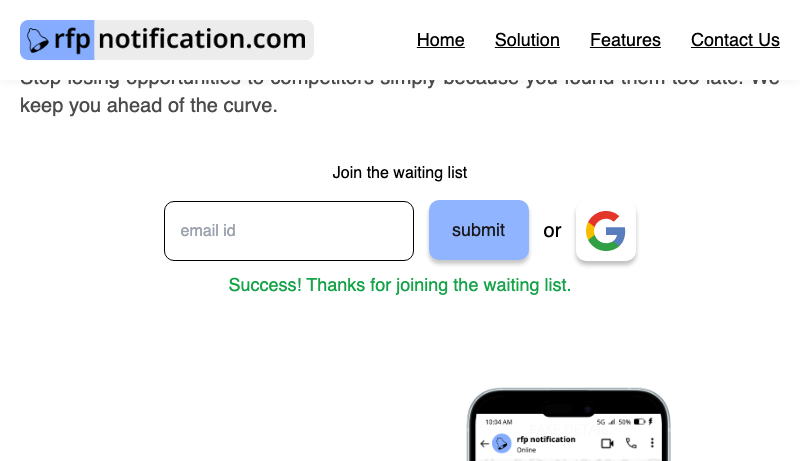
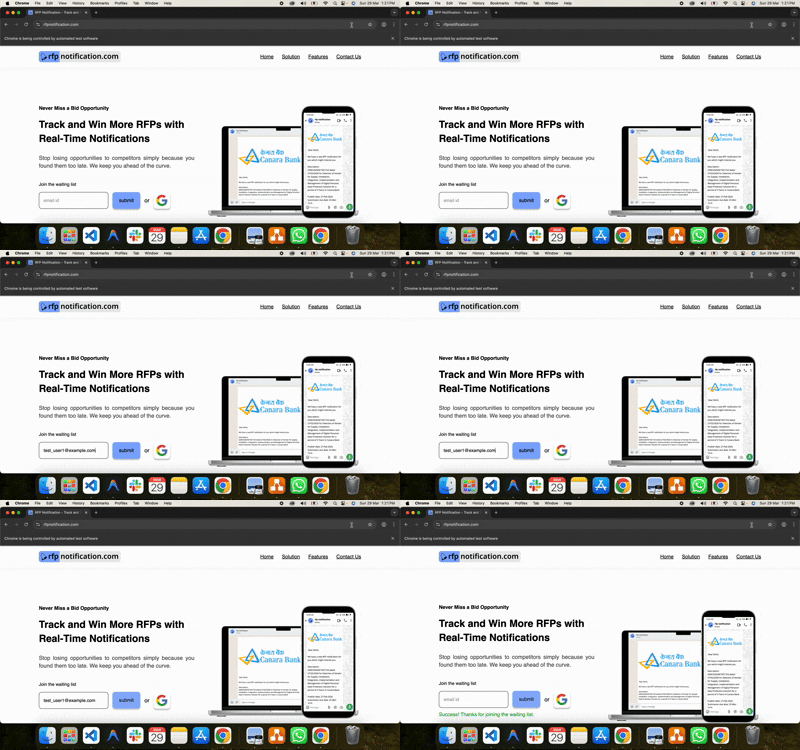
Prompt: "Open https://rfpnotification.com and join the waiting list by entering the email address: [[email protected]]"|Before|After|
|------|-----|
|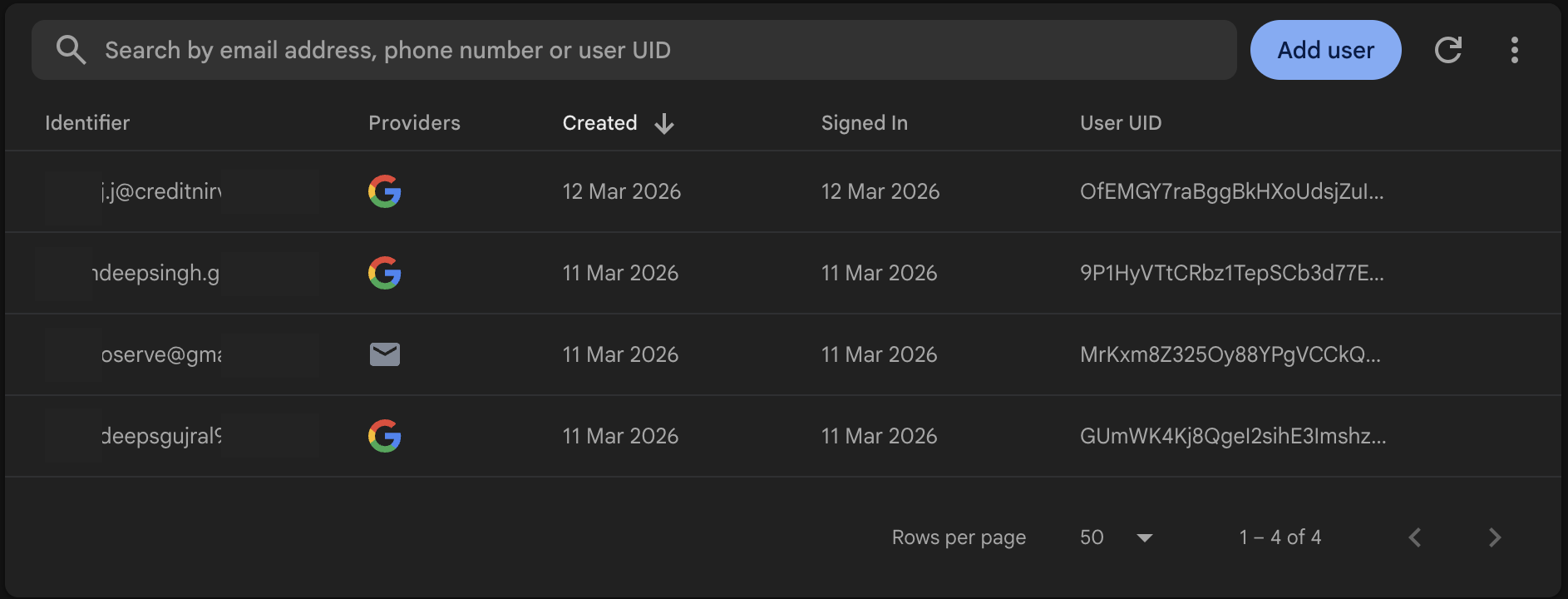 |
|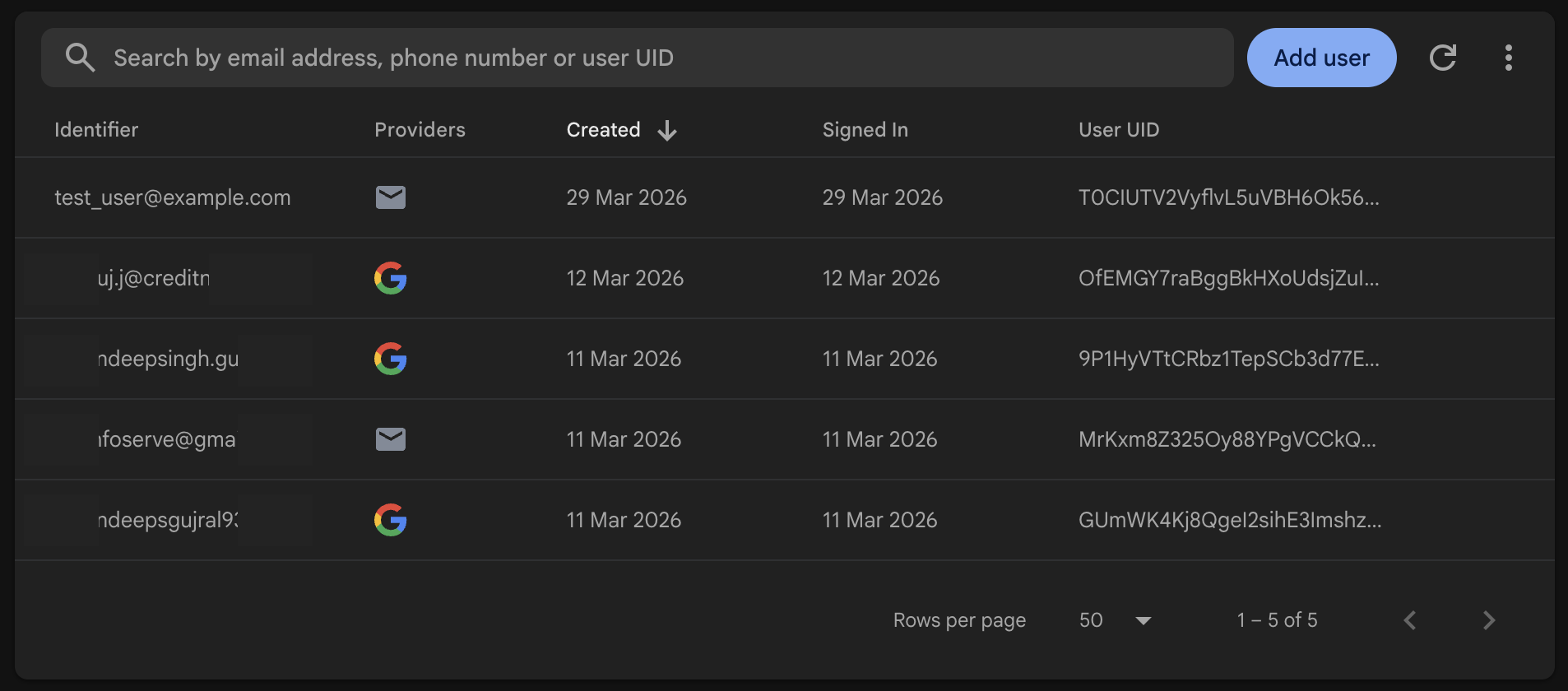 |
|
After running the script, the browser took the screenshot to check if the email was entered successfully.
Test In Action
Dev Setup
Clone the repositorygit clone {url}
Create virtual environment
python3 -m venv venv

source venv/bin/activate
Install dependencies
pip install -r requirements.txt
Run the server
python server.py
The package comes with a lightweight MCP client using Google GenAI SDK to test the server. It is implemented in server.py file. To use it, you need to have a Google GenAI API key. Set it in the .env file as GEMINI_API_KEY={your_api_key}.
Run the client
python server.py
Architecture
The mcp has a very somple architecture as shown below. If this MCP is hosted locally then it communicates via stdio, if it is hosted on cloud then it communicates via http.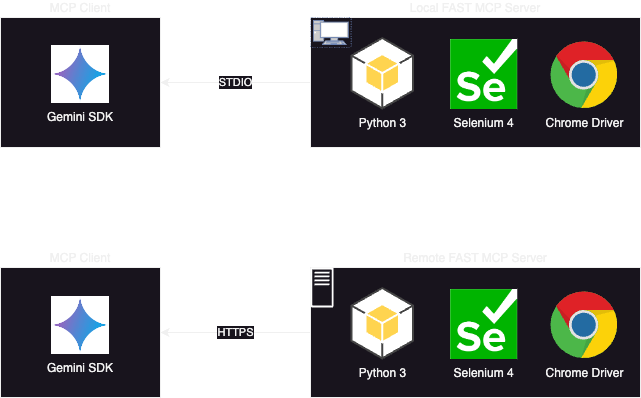
Sign in to leave a review
Use Google, GitHub, or an email account so ratings stay tied to real people.
No reviews posted yet.



