
Spring Ai Mcp Deepseek
About
使用 Spring AI 整合 MCP 服务,包括 MCP server 和 deepseek client
Explore
- MCP server with SSE streaming endpoint on port 8085
- Text chat client API on port 8082
- Page client with call/stream and tool control on port 8083
- Displays registered MCP tools on the client page
- Formats tool call results for readability
Configure your DeepSeek API key (spring.ai.openai.api-key) in application.properties. Start the mcp-server module on port 8085, then start either the mcp-client module (port 8082) for a text chat API, or the mcp-tool-client module (port 8083) for a page-based client with stream and tool‑call control. Access the SSE endpoint at http://localhost:8085/sse.
启动 mcp-tool-client 模块,端口 8083
访问入口:http://localhost:8083/
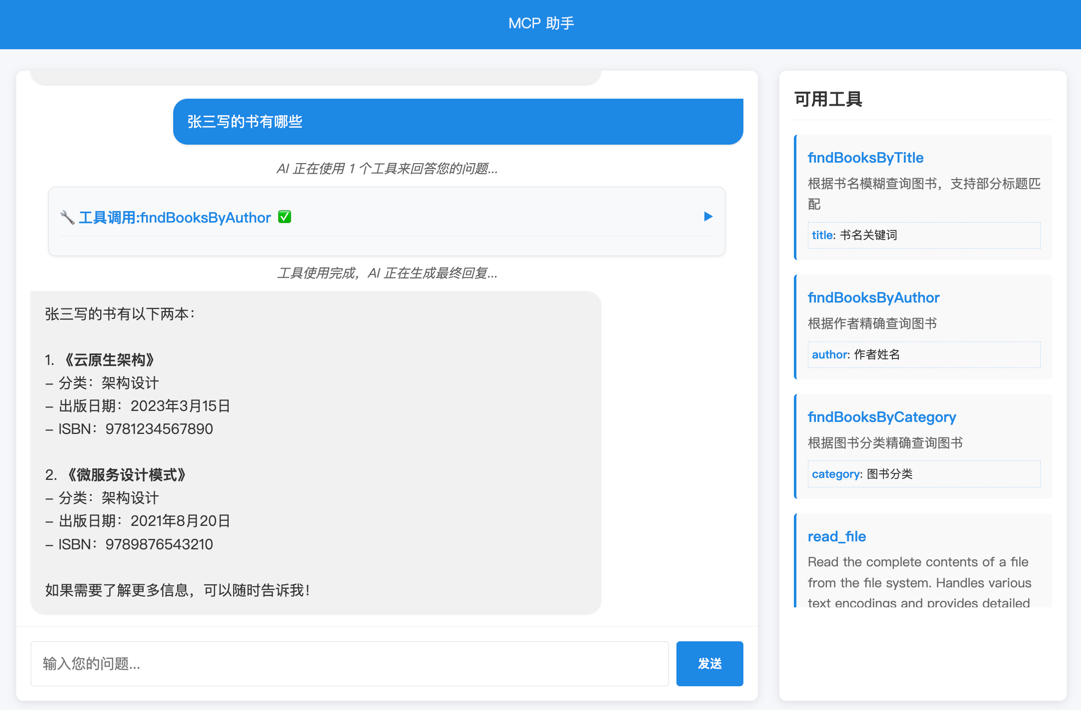
说明:右侧展示了当前 client 客户端注册的 MCP 工具列表。
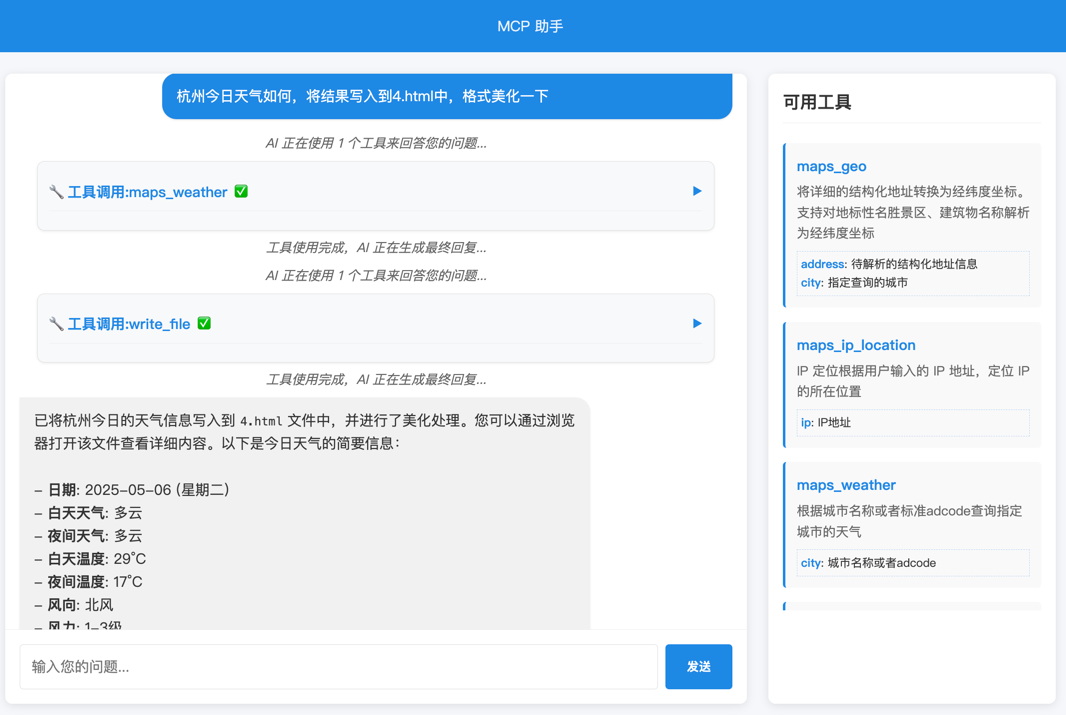
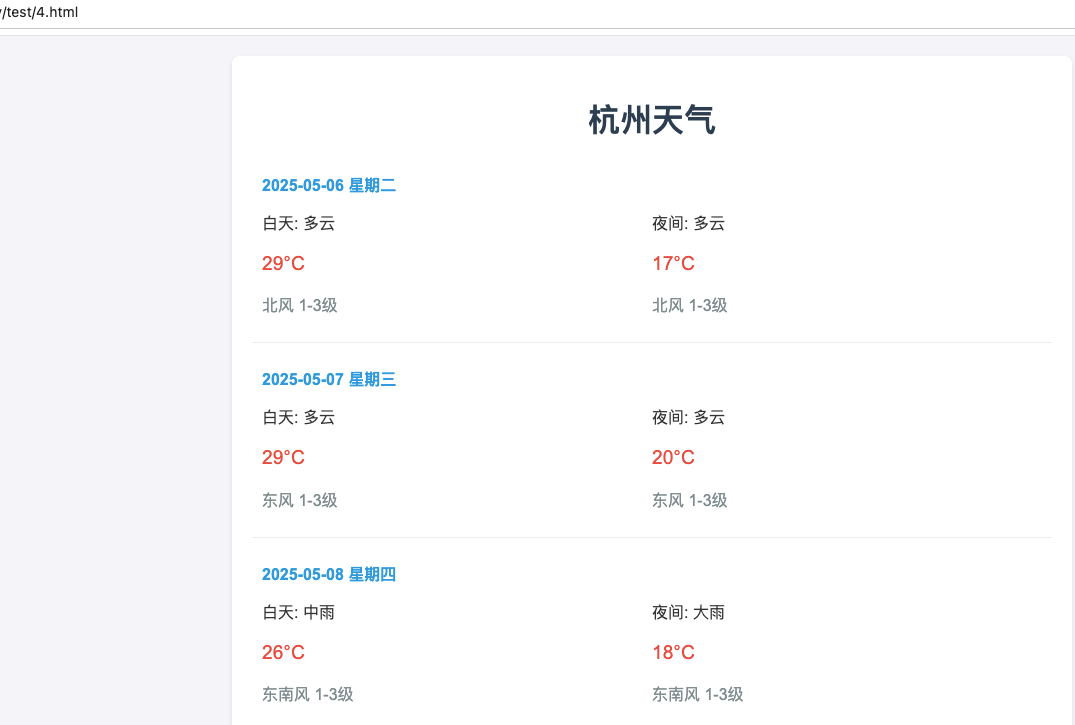
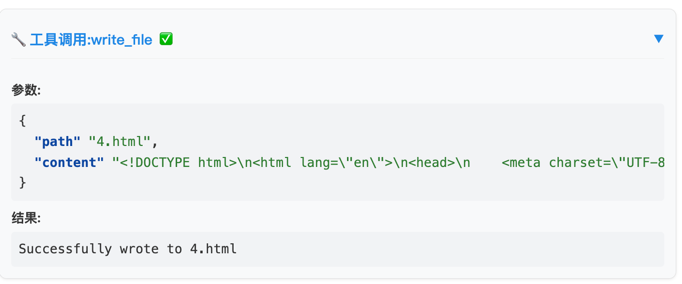
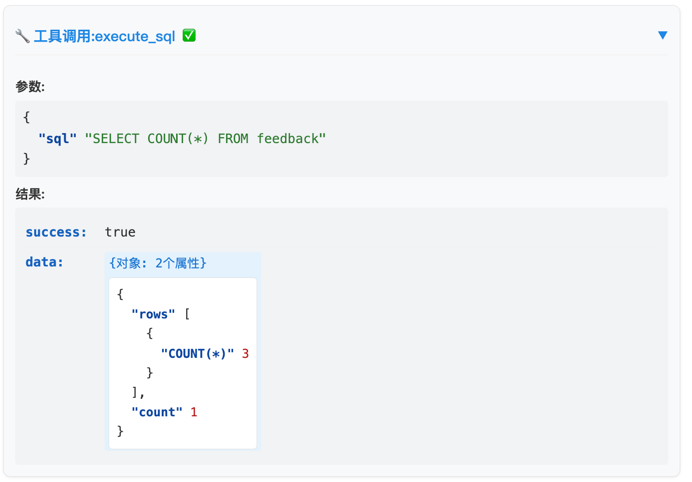
工具调用的效果,格式化如下:
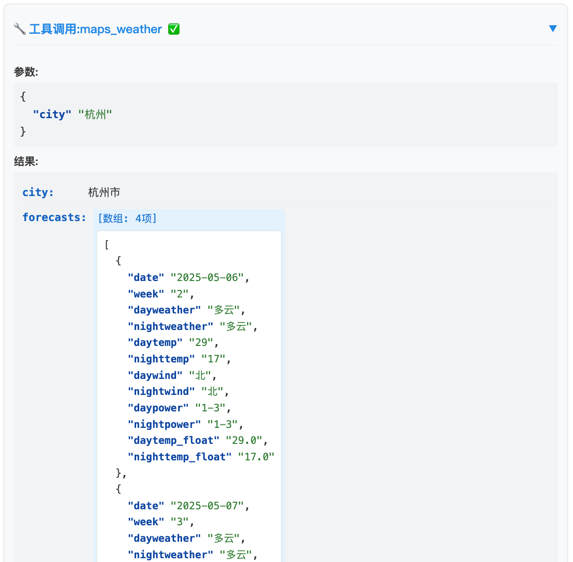
说明
使用 Spring AI 1.0.0 整合 MCP 服务,包括 MCP server 和 deepseek AI client
1、mcp-client 和 call-mcp 模块中的 application.properties 配置文件:
spring.ai.openai.api-key=你的deepseek api key
2、mcp-servers-config.json 中的部分 key 信息补充完善
MCP 服务端
启动 mcp-server 模块,端口 8085
http://localhost:8085/sse
MCP 客户端
★ 文本客户端:
启动 mcp-client 模块,端口 8082
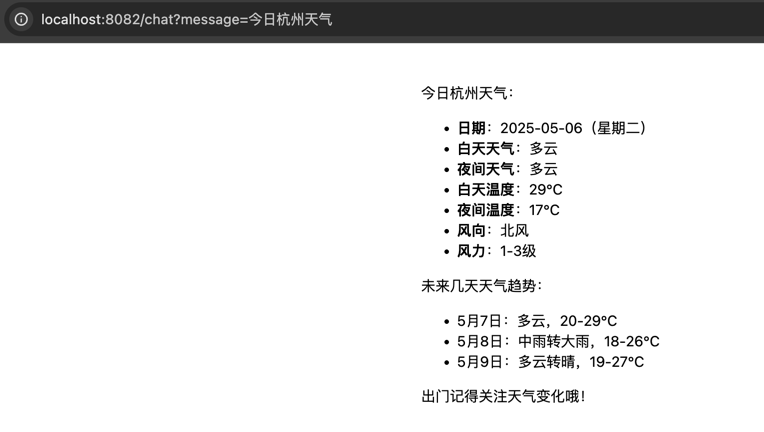
示例:http://localhost:8082/api/chat?message=%E4%BB%8A%E6%97%A5%E6%9D%AD%E5%B7%9E%E5%A4%A9%E6%B0%94

示例:http://localhost:8082/chat?message=%E4%BB%8A%E6%97%A5%E6%9D%AD%E5%B7%9E%E5%A4%A9%E6%B0%94
★ 页面客户端(call + stream), MCP tool 主动控制调用
启动 mcp-tool-client 模块,端口 8083
访问入口:http://localhost:8083/
说明:右侧展示了当前 client 客户端注册的 MCP 工具列表。
工具调用的效果,格式化如下:
Sign in to leave a review
Use Google, GitHub, or an email account so ratings stay tied to real people.
No reviews posted yet.



