
Whodb
About
WhoDB CLI - a powerful database management tool with interactive TUI, programmatic commands, and MCP server for AI assistants.
Explore
- Interactive TUI - Full-featured terminal interface for database management
- MCP Server - Model Context Protocol support for Claude, Cursor, and other AI tools
- Cross-Platform - Available for macOS, Linux, and Windows

Setting up with Highlight
This MCP is not yet compatible with Highlight’s one-click setup. However, you can still use it with Highlight by following these steps:
- Download and install Highlight from highlightai.com/download
- Navigate to the plugins tab and select "Add Custom Plugin"
-
Configure the plugin with the settings below
Plugin Name
WhodbCommand (node, npx, python, etc.)Please refer to the README for specific instructions on how to obtain API keys or other required environment variables.
- Enable "Start Automatically" if you want the plugin to start when Highlight launches





From the repository
- WHODB_OLLAMA_HOST=localhost
- WHODB_OLLAMA_PORT=11434
- WHODB_ANTHROPIC_API_KEY=your_key_here
- WHODB_OPENAI_API_KEY=your_key_here
If the core/build/ directory doesn't exist, build the frontend first:
cd frontend
pnpm install
pnpm run build
rm -rf ../core/build/
cp -r ./build ../core/
cd ..
> Note: This is only required once, as Go embeds the build/ folder on startup.
To enable natural language queries:
1. Ollama - Download from ollama.com
ollama pull llama3.1
WhoDB will auto-detect installed models and show a Chat option in the sidebar.
2. OpenAI/Anthropic - Set environment variables (see Docker Compose example above)
3. Any OpenAI-compatible provider - Use WHODB_AI_GENERIC_<ID>_* environment variables to connect to LM Studio, OpenRouter, or any provider with an OpenAI-compatible API (see Docker Compose example above)
Claude Desktop / Cursor
Paste into your MCP client config file to install this server.
{
    "mcpServers": {
        "whodb": {
            "whodb": {
                "command": "npx",
                "args": [
                    "-y",
                    "@clidey/whodb-cli",
                    "mcp",
                    "serve"
                ]
            }
        }
    }
}McpServers
{
    "whodb": {
        "command": "npx",
        "args": [
            "-y",
            "@clidey/whodb-cli",
            "mcp",
            "serve"
        ]
    }
}
Lightweight, Fast, and Beautiful Database Management
<!-- -->






[//]: # ([](https://github.com/clidey/whodb/actions/workflows/e2e-ce.yml))










Available on





🚀 Quick Start • 📖 Documentation • 🎮 Live Demo • 💬 Community
</div>
---
<p align="center">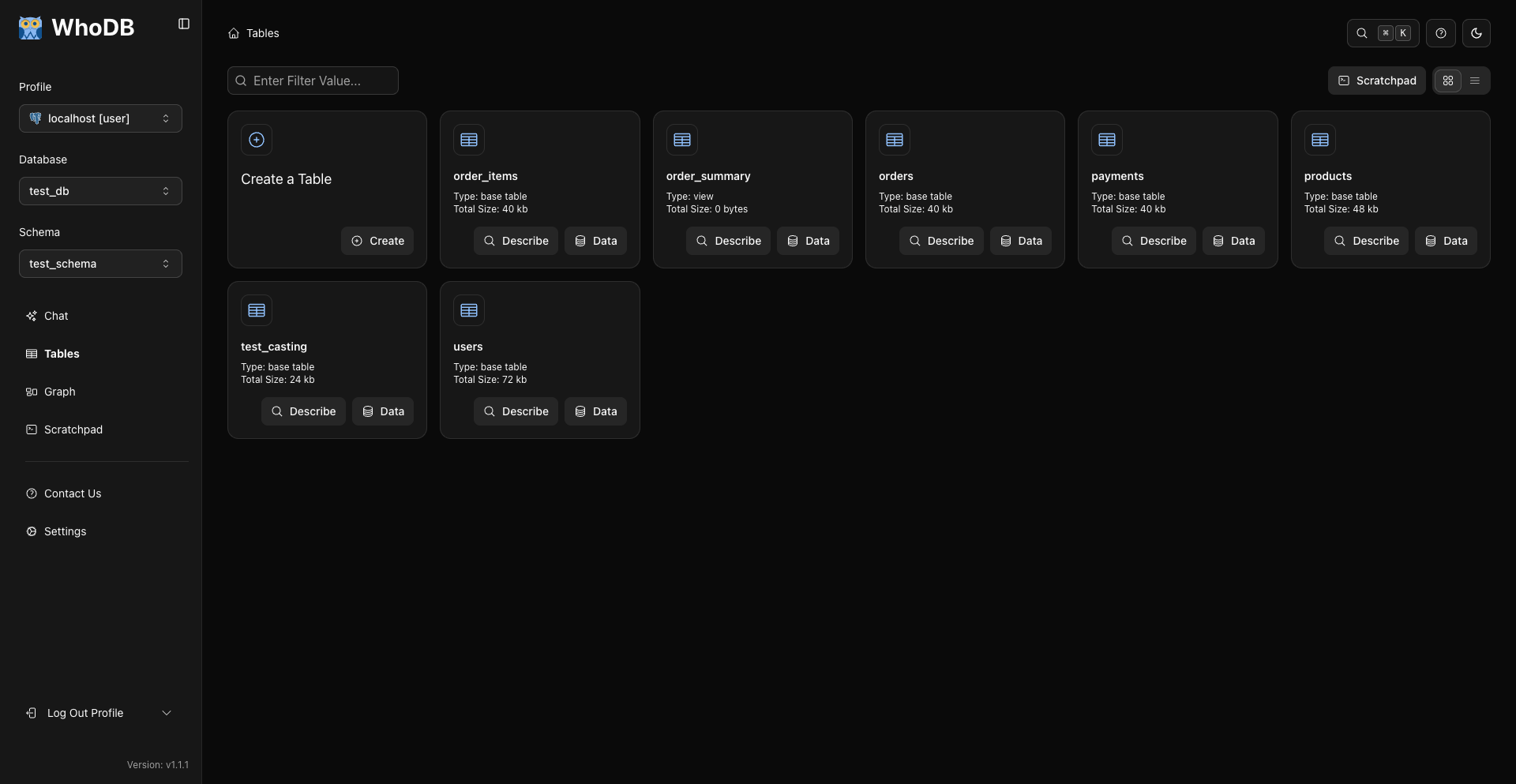 </p>
</p>
🎯 What is WhoDB?
WhoDB is the modern database management tool that developers actually want to use.
Built with GoLang and React, WhoDB is a lightweight (<50MB) yet powerful database client that combines blazing-fast performance with an intuitive, beautiful interface. Whether you're debugging a production issue, exploring a new database schema, or managing data for your next feature, WhoDB makes database management feel effortless.
Why WhoDB?
<table>
<tr>
<td width="50%">
🚀 Lightning Fast
- Instant startup (<1s)
- Real-time query results
- Efficient table virtualization
- 90% less resource usage than traditional tools
🎨 Beautiful & Intuitive
- Clean, modern interface
- Spreadsheet-like data grid
- Interactive schema visualization
- No training required
</td>
<td width="50%">
🤖 AI-Powered
- Natural language to SQL
- Talk to your data conversationally
- Supports Ollama, OpenAI, Anthropic, and any OpenAI-compatible provider
- No complex query writing needed
🔧 Developer-Friendly
- Multi-database support
- Query history & management
- Mock data generation
- Flexible export options
</td>
</tr>
</table>
✨ Key Features
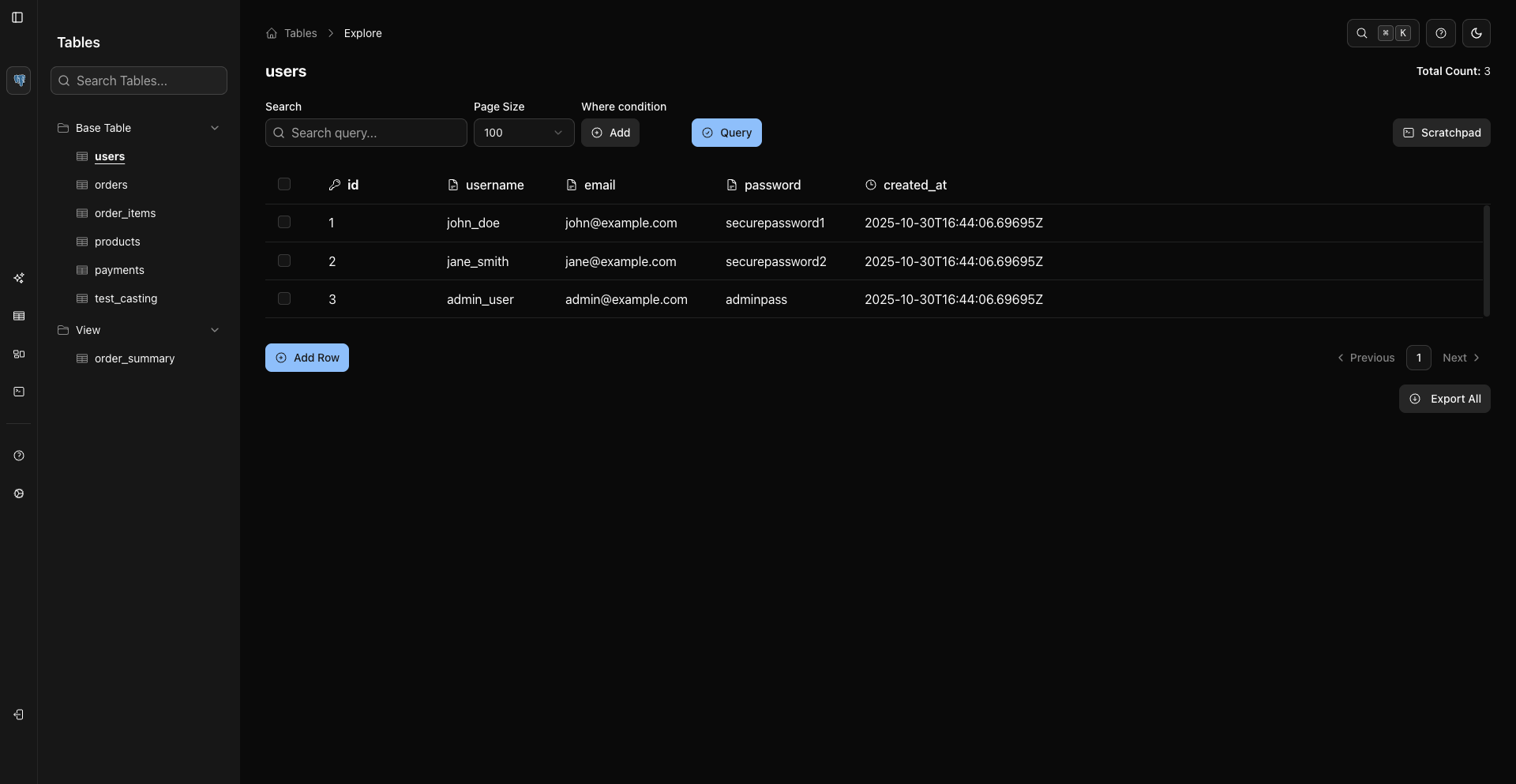
📊 Visual Data Management
<table>
<tr>
<td width="50%">
</td>
<td width="50%">
Spreadsheet-Like Data Grid
- View, edit, and manage data intuitively
- Sort, filter, and search with ease
- Inline editing with real-time updates
- Bulk operations for efficiency
</td>
</tr>
</table>
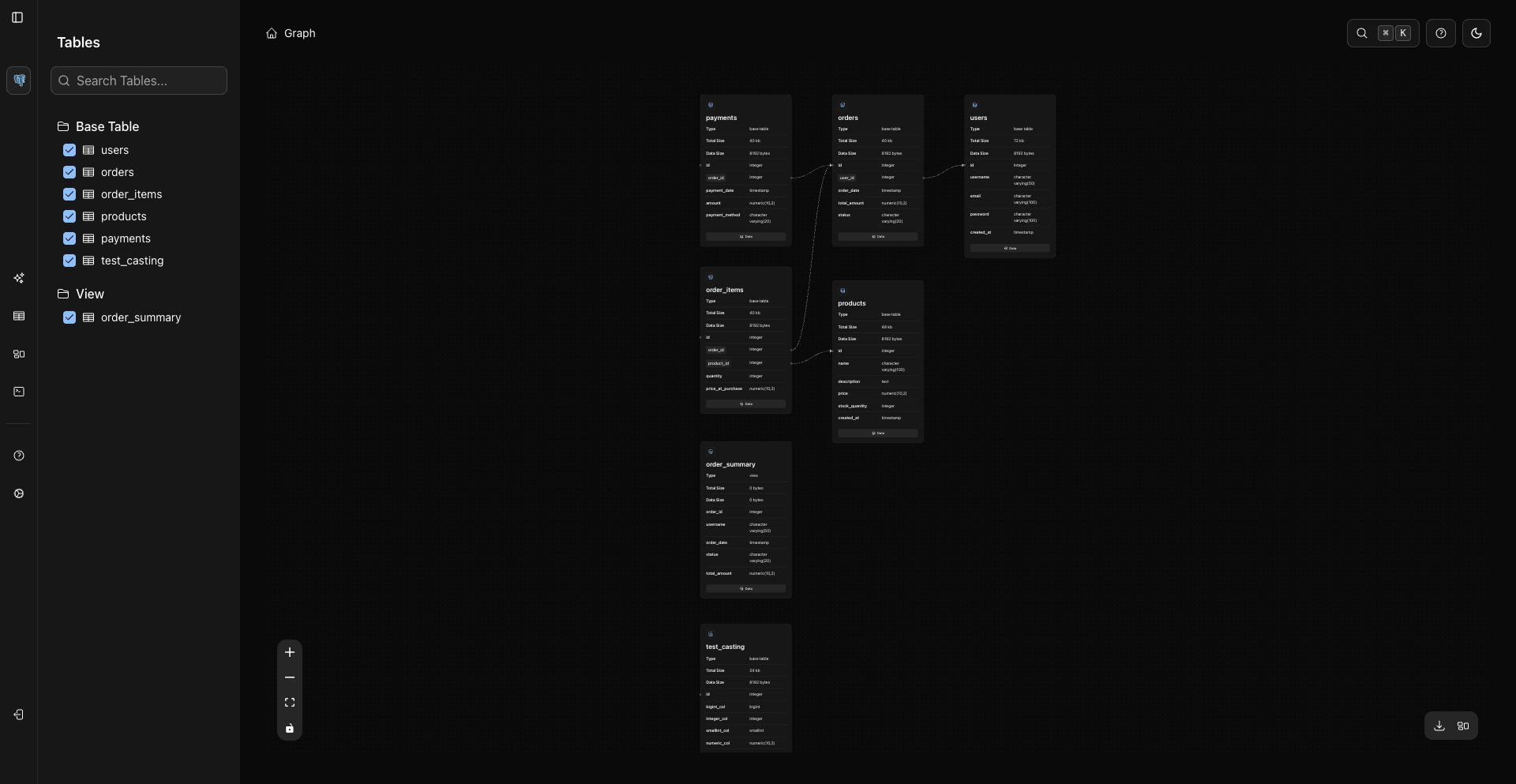
🔍 Interactive Schema Explorer
<table>
<tr>
<td width="50%">
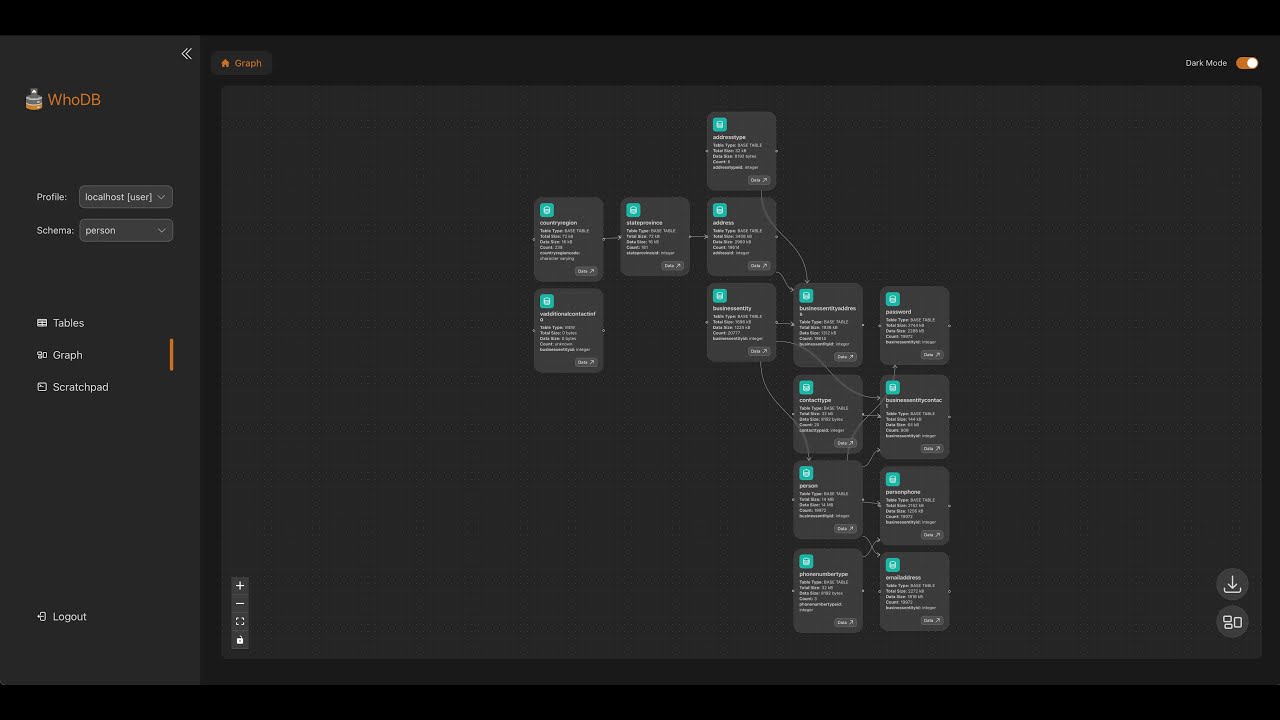
Visual Schema Topology
- Interactive graph visualization
- Explore table relationships
- Understand foreign keys instantly
- Pan, zoom, and navigate easily
</td>
<td width="50%">
</td>
</tr>
</table>
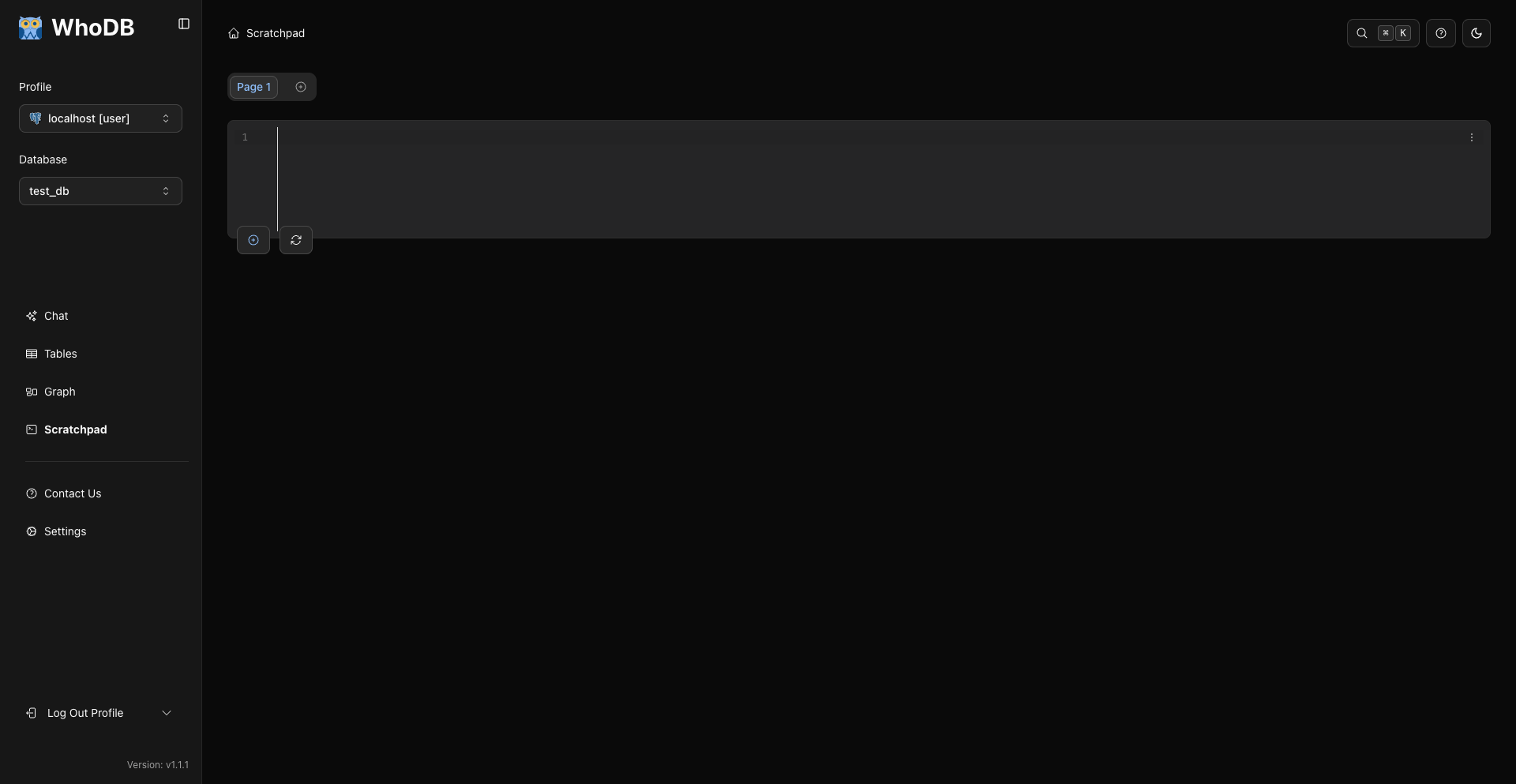
💻 Powerful Query Interface
<table>
<tr>
<td width="50%">
</td>
<td width="50%">
Scratchpad Query Editor
- Jupyter-like notebook interface
- Syntax highlighting & auto-completion
- Query history & reuse
- Multi-cell organization
</td>
</tr>
</table>
🗄️ Multi-Database Support
Community Edition (CE): PostgreSQL, MySQL, SQLite3, MongoDB, Redis, MariaDB, ElasticSearch
Enterprise Edition (EE): All CE databases plus Oracle, SQL Server, DynamoDB, Athena, Snowflake, Cassandra, and more
🎯 Advanced Capabilities
- Mock Data Generation - Generate realistic test data for development
- Flexible Export Options - Export to CSV, Excel, JSON, or SQL
- Advanced Filtering - Build complex WHERE conditions visually
- AI-Powered Queries - Convert natural language to SQL with Ollama, OpenAI, Anthropic, or any OpenAI-compatible provider
---
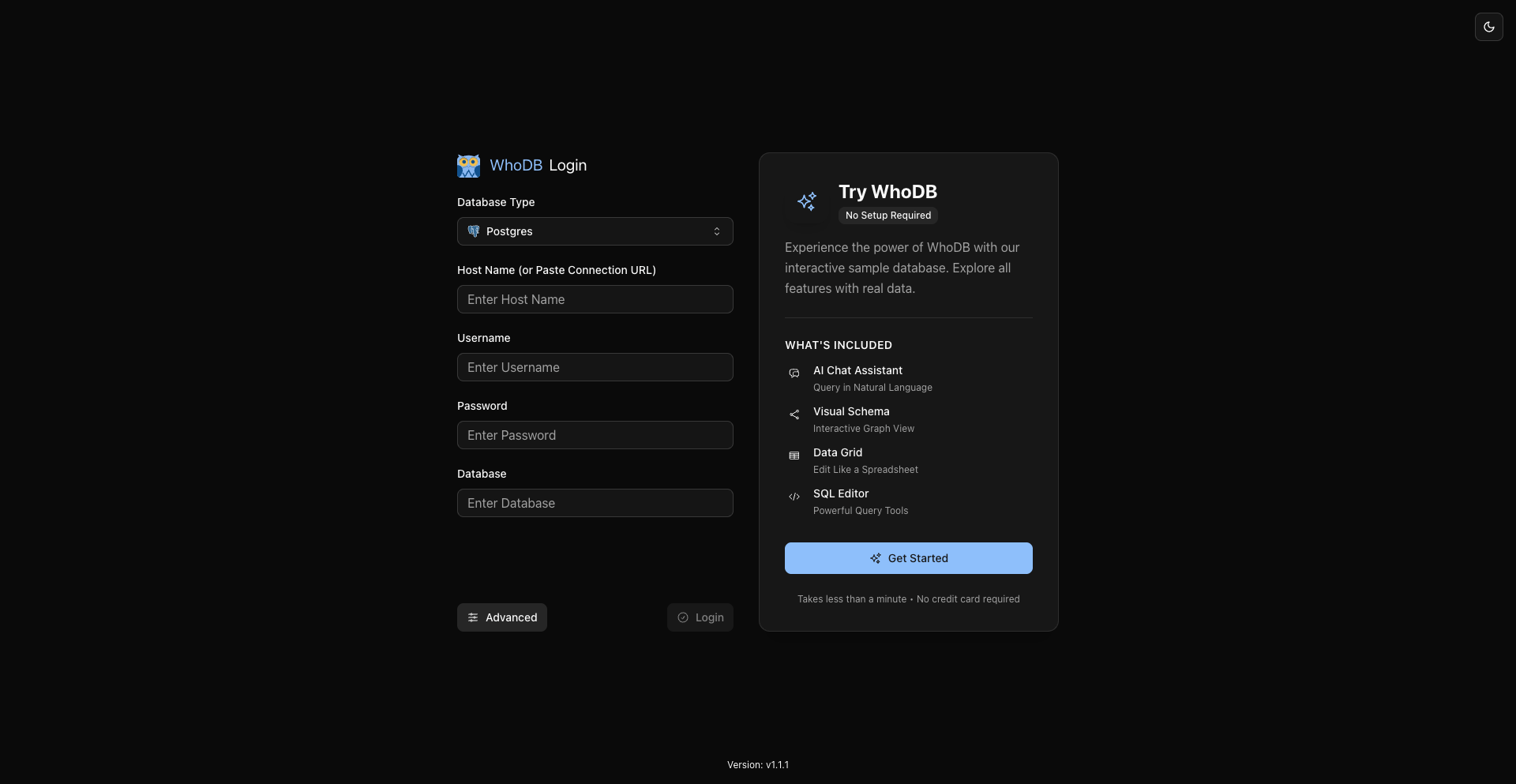
🎮 Try WhoDB Now
<div align="center">
Experience WhoDB in action without any setup
<table>
<tr>
<td align="center" width="50%">
<h3>🌐 Live Demo</h3>
<p>Try WhoDB instantly with our sample database</p>
<a href="https://whodb.com/demo/login?host=quick-container-491288b0-3138-48fa-93b4-1e730296c0b7.hello.svc.cluster.local&username=user&password=password&database=Adventureworks">
</a>
<p><a href="https://whodb.com/demo/login?host=quick-container-491288b0-3138-48fa-93b4-1e730296c0b7.hello.svc.cluster.local&username=user&password=password&database=Adventureworks"><strong>Launch Demo →</strong></a></p>
<p><em>Pre-filled with sample PostgreSQL database</em></p>
</td>
<td align="center" width="50%">
<h3>🎥 Video Demo</h3>
<p>Watch WhoDB in action</p>
<a href="https://youtu.be/hnAQcYYzcLo">
</a>
<p><a href="https://youtu.be/hnAQcYYzcLo"><strong>Watch Video →</strong></a></p>
<p><em>Complete walkthrough of features</em></p>
</td>
</tr>
</table>
</div>
---
🚀 Quick Start
Option 1: Docker (Recommended)
The fastest way to get started with WhoDB:
docker run -it -p 8080:8080 clidey/whodb
Then open http://localhost:8080 in your browser.
Option 2: Docker Compose
For more control and configuration:
version: "3.8"
services:
  whodb:
    image: clidey/whodb
    ports:
      - "8080:8080"
    environment:
      # AI Integration (Optional)
      # Ollama Configuration
      - WHODB_OLLAMA_HOST=localhost
      - WHODB_OLLAMA_PORT=11434
# Anthropic Configuration

      - WHODB_ANTHROPIC_API_KEY=your_key_here

      # - WHODB_ANTHROPIC_ENDPOINT=https://api.anthropic.com/v1
# OpenAI Configuration

      - WHODB_OPENAI_API_KEY=your_key_here

      # - WHODB_OPENAI_ENDPOINT=https://api.openai.com/v1
# Generic AI Providers (OpenAI-compatible endpoints)

      # Use WHODB_AI_GENERIC_<ID>_* to add any OpenAI-compatible provider.

      # <ID> can be any unique identifier (e.g., LMSTUDIO, OPENROUTER).

      #

      # LM Studio example:

      # - WHODB_AI_GENERIC_LMSTUDIO_NAME=LM Studio

      # - WHODB_AI_GENERIC_LMSTUDIO_BASE_URL=http://host.docker.internal:1234/v1

      # - WHODB_AI_GENERIC_LMSTUDIO_MODELS=mistral-7b,llama-3-8b

      #

      # OpenRouter example:

      # - WHODB_AI_GENERIC_OPENROUTER_NAME=OpenRouter

      # - WHODB_AI_GENERIC_OPENROUTER_BASE_URL=https://openrouter.ai/api/v1

      # - WHODB_AI_GENERIC_OPENROUTER_API_KEY=your_key_here

      # - WHODB_AI_GENERIC_OPENROUTER_MODELS=google/gemini-2.0-flash-001,anthropic/claude-3.5-sonnet

    # volumes: # (Optional for SQLite)

    #   - ./sample.db:/db/sample.db
What's Next?
1. Connect to your database - Enter your database credentials on the login page
2. Explore your schema - Browse tables and visualize relationships
3. Run queries - Use the Scratchpad to execute SQL queries
4. Manage data - Edit, add, and delete records with ease
📖 For detailed installation options and configuration, see our Documentation
---
💻 WhoDB CLI
WhoDB also offers a powerful command-line interface with an interactive TUI (Terminal User Interface) and MCP server support for AI assistants.
Features
- Interactive TUI - Full-featured terminal interface for database management
- MCP Server - Model Context Protocol support for Claude, Cursor, and other AI tools
- Cross-Platform - Available for macOS, Linux, and Windows
Quick Install
```bash
Sign in to leave a review
Use Google, GitHub, or an email account so ratings stay tied to real people.
No reviews posted yet.



