YepCode
About
Execute any LLM-generated code in the [YepCode](https://yepcode.io) secure and scalable sandbox environment and create your own MCP tools using JavaScript or Python, with full support for NPM and PyPI packages
Explore
- Expose YepCode processes as MCP tools with JSON Schema parameters
- Execute code securely in YepCode’s isolated environment via run_code
- Manage environment variables, storage files, and processes
- Polyglot tool implementations in Python or Node.js in one server
- Control which tools are enabled via YEPCODE_MCP_TOOLS (tags and categories)
- Enterprise-grade security with OAuth, API tokens, or workspace credentials

Setting up with Highlight
This MCP is not yet compatible with Highlight’s one-click setup. However, you can still use it with Highlight by following these steps:
- Download and install Highlight from highlightai.com/download
- Navigate to the plugins tab and select "Add Custom Plugin"
-
Configure the plugin with the settings below
Plugin Name
YepCodeCommand (node, npx, python, etc.)Please refer to the README for specific instructions on how to obtain API keys or other required environment variables.
- Enable "Start Automatically" if you want the plugin to start when Highlight launches





From the repository
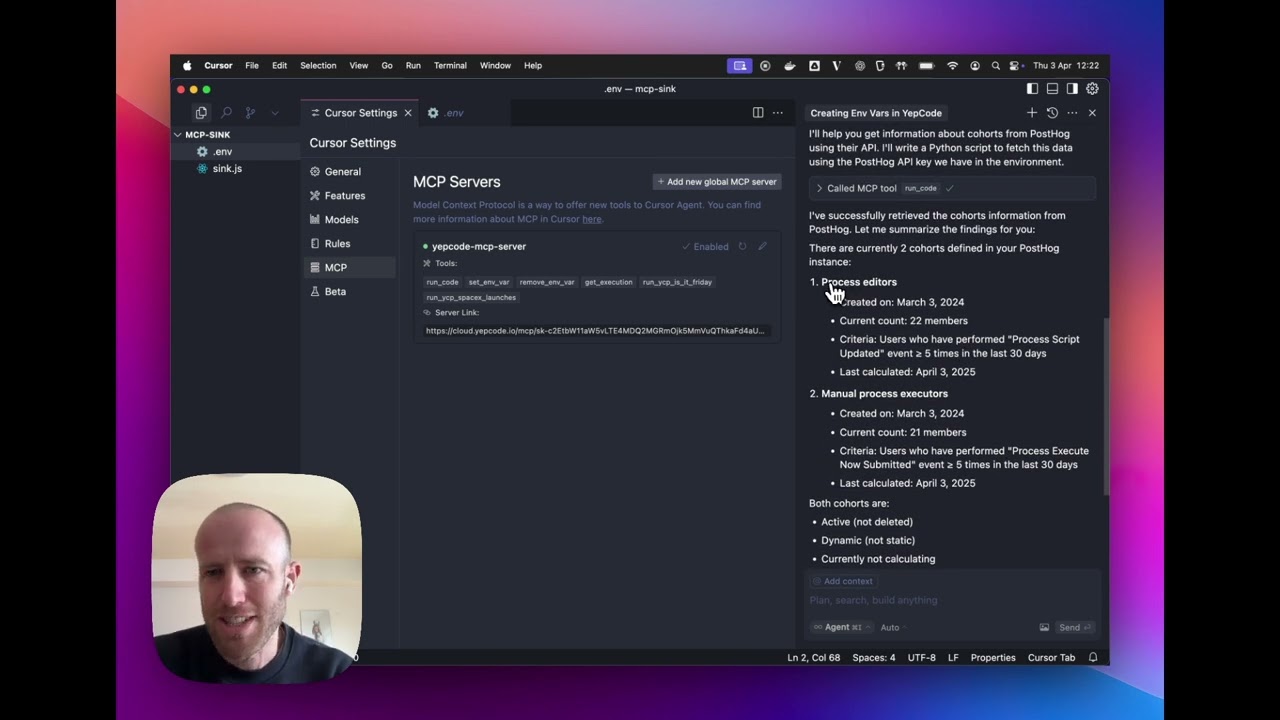
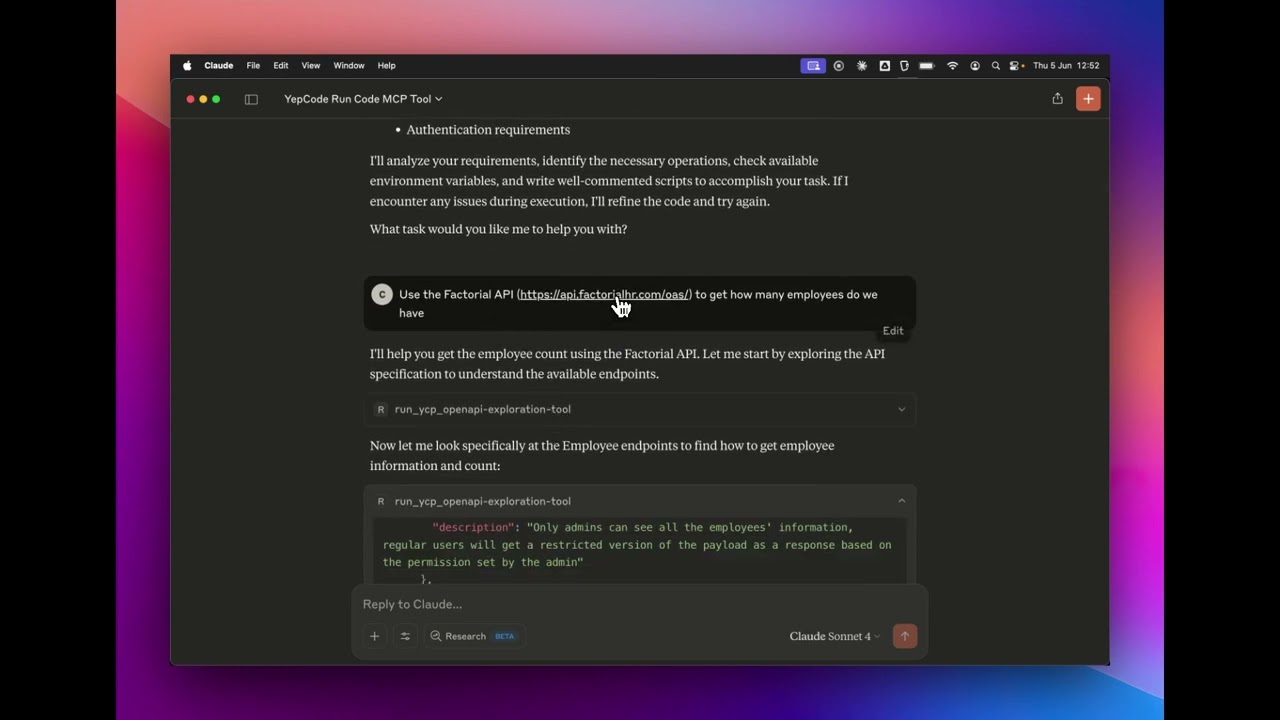
This package lets you run the YepCode MCP server locally or in your own infrastructure (NPX, Docker, or custom deployment). Integrate it with AI platforms like Cursor or Claude Desktop.
> Tip: From your YepCode account you also have access to a hosted MCP server that doesn't require local installation. The connection URL is always: https://cloud.yepcode.io/mcp
YepCode is built to be the ideal platform for running a dynamic MCP tools server:
- One process, one tool: Each YepCode process can be exposed as an MCP tool. Tag your processes (e.g. mcp-tool, core, automation) and they become tools that AI assistants can invoke. You can secure access with OAuth, API tokens, or your existing YepCode credentials—each tool runs in your workspace with the same security model.
- Full control over tool parameters: Every tool can define its own parameter schema as JSON Schema. You get complete flexibility to describe inputs (types, descriptions, required fields, enums, defaults, etc.), so the AI receives rich metadata and can call your tools correctly.
- Polyglot tool implementations: Implement tools in Python or Node.js (or both). The same MCP server can expose tools backed by different runtimes—think of it as one MCP server that mixes implementations across several languages.
For complete documentation, see the YepCode MCP Server docs.
run_code
Enables the code execution tool
yc_api
Enables all basic API management tools (processes, schedules, variables, storage, executions, modules)
yc_api_full
Enables all API management tools including version-related tools (extends `yc_api` with additional process and module version management tools)
get_processes
List processes with optional filtering
create_process
Create new processes with source code
get_process
Get process details
update_process
Update an existing process
delete_process
Delete a process
get_process_versions
Get process versions (requires `yc_api_full`)
execute_process_async
Execute a process asynchronously
execute_process_sync
Execute a process synchronously
schedule_process
Schedule a process to run automatically
get_schedules
List scheduled processes
get_schedule
Get schedule details
pause_schedule
Pause a scheduled process
resume_schedule
Resume a paused schedule
delete_schedule
Delete a schedule
update_schedule
Update a scheduled process
get_variables
List team variables
create_variable
Create a new variable
update_variable
Update an existing variable
delete_variable
Delete a variable
get_storage_objects
List storage objects
upload_storage_object
Upload a file to storage
download_storage_object
Download a file from storage
delete_storage_object
Delete a file from storage
get_executions
List executions with optional filtering
get_execution
Get execution details from API
kill_execution
Kill a running execution
rerun_execution
Rerun a previous execution
get_execution_logs
Get execution logs
get_modules
List script library modules
create_module
Create a new module
get_module
Get module details
delete_module
Delete a module
get_module_versions
Get module versions (requires `yc_api_full`)
get_module_version
Get a specific module version (requires `yc_api_full`)
delete_module_version
Delete a module version (requires `yc_api_full`)
get_module_aliases
Get module version aliases (requires `yc_api_full`)
YepCode is built to be the ideal platform for running a dynamic MCP tools server:
- One process, one tool: Each YepCode process can be exposed as an MCP tool. Tag your processes (e.g. mcp-tool, core, automation) and they become tools that AI assistants can invoke. You can secure access with OAuth, API tokens, or your existing YepCode credentials—each tool runs in your workspace with the same security model.
- Full control over tool parameters: Every tool can define its own parameter schema as JSON Schema. You get complete flexibility to describe inputs (types, descriptions, required fields, enums, defaults, etc.), so the AI receives rich metadata and can call your tools correctly.
- Polyglot tool implementations: Implement tools in Python or Node.js (or both). The same MCP server can expose tools backed by different runtimes—think of it as one MCP server that mixes implementations across several languages.
For complete documentation, see the YepCode MCP Server docs.
The MCP server provides several tools to interact with YepCode's infrastructure:
You can control which tools are enabled by setting the YEPCODE_MCP_TOOLS environment variable with a comma-separated list of tool categories and process tags:
Built-in tool categories:
- run_code: Enables the code execution tool
- yc_api: Enables all basic API management tools (processes, schedules, variables, storage, executions, modules)
- yc_api_full: Enables all API management tools including version-related tools (extends yc_api with additional process and module version management tools)
- any specific API tool name (e.g., execute_process_sync, get_execution,...)
Process tags:
- Any tag used in your YepCode processes (e.g., mcp-tool, core, automation, etc.)
- When you specify a process tag, all processes with that tag will be exposed as individual MCP tools
- Process tools will be named using the process slug (or prefixed with yc_ and the process ID if the name is longer than 60 characters)
If not specified, all built-in tools are enabled by default, but no process tools will be exposed.
// NPX configuration with options
{
"mcpServers": {
"yepcode-mcp-server": {
"command": "npx",
"args": ["-y", "@yepcode/mcp-server"],
"env": {
"YEPCODE_API_TOKEN": "your_api_token_here",
"YEPCODE_MCP_OPTIONS": "runCodeCleanup,skipCodingRules",
"YEPCODE_MCP_TOOLS": "run_code,yc_api,mcp-tool,core"
}
}
}
}
Example scenarios:
- YEPCODE_MCP_TOOLS=run_code,yc_api - Enables built-in code execution and basic API management tools
- YEPCODE_MCP_TOOLS=run_code,yc_api_full - Enables built-in code execution and all API management tools (including version management)
- YEPCODE_MCP_TOOLS=core,automation - Only exposes processes tagged with "core" or "automation" as tools
- YEPCODE_MCP_TOOLS=run_code,yc_api,core - Enables built-in tools plus all processes tagged with "core"
The API management tool categories (yc_api and yc_api_full) provide comprehensive API access to manage all aspects of your YepCode workspace:
Basic API tools (yc_api):
The yc_api tag enables standard API management tools for core operations across your workspace.
Extended API tools (yc_api_full):
The yc_api_full tag includes everything from yc_api plus additional tools for managing process and module versions.
Processes Management:
- get_processes - List processes with optional filtering
- create_process - Create new processes with source code
- get_process - Get process details
- update_process - Update an existing process
- delete_process - Delete a process
- get_process_versions - Get process versions (requires yc_api_full)
- execute_process_async - Execute a process asynchronously
- execute_process_sync - Execute a process synchronously
- schedule_process - Schedule a process to run automatically
Schedules Management:
- get_schedules - List scheduled processes
- get_schedule - Get schedule details
- pause_schedule - Pause a scheduled process
- resume_schedule - Resume a paused schedule
- delete_schedule - Delete a schedule
- update_schedule - Update a scheduled process
Variables Management:
- get_variables - List team variables
- create_variable - Create a new variable
- update_variable - Update an existing variable
- delete_variable - Delete a variable
Storage Management:
- get_storage_objects - List storage objects
- upload_storage_object - Upload a file to storage
- download_storage_object - Download a file from storage
- delete_storage_object - Delete a file from storage
Executions Management:
- get_executions - List executions with optional filtering
- get_execution - Get execution details from API
- kill_execution - Kill a running execution
- rerun_execution - Rerun a previous execution
- get_execution_logs - Get execution logs
Modules Management:
- get_modules - List script library modules
- create_module - Create a new module
- get_module - Get module details
- delete_module - Delete a module
- get_module_versions - Get module versions (requires yc_api_full)
- get_module_version - Get a specific module version (requires yc_api_full)
- delete_module_version - Delete a module version (requires yc_api_full)
- get_module_aliases - Get module version aliases (requires yc_api_full)
Claude Desktop / Cursor
Paste into your MCP client config file to install this server.
{
    "mcpServers": {
        "yepcode": {
            "yepcode-mcp-server-stdio": {
                "command": "npx",
                "args": [
                    "-y",
                    "@yepcode/mcp-server"
                ],
                "env": {
                    "YEPCODE_API_TOKEN": "your_api_token_here"
                }
            }
        }
    }
}McpServers
{
    "yepcode-mcp-server-stdio": {
        "command": "npx",
        "args": [
            "-y",
            "@yepcode/mcp-server"
        ],
        "env": {
            "YEPCODE_API_TOKEN": "your_api_token_here"
        }
    }
}
Yepcode-mcp-server-sse
{
    "url": "https://cloud.yepcode.io/mcp/sk-c2E....RD/sse"
}
What is YepCode MCP Server?
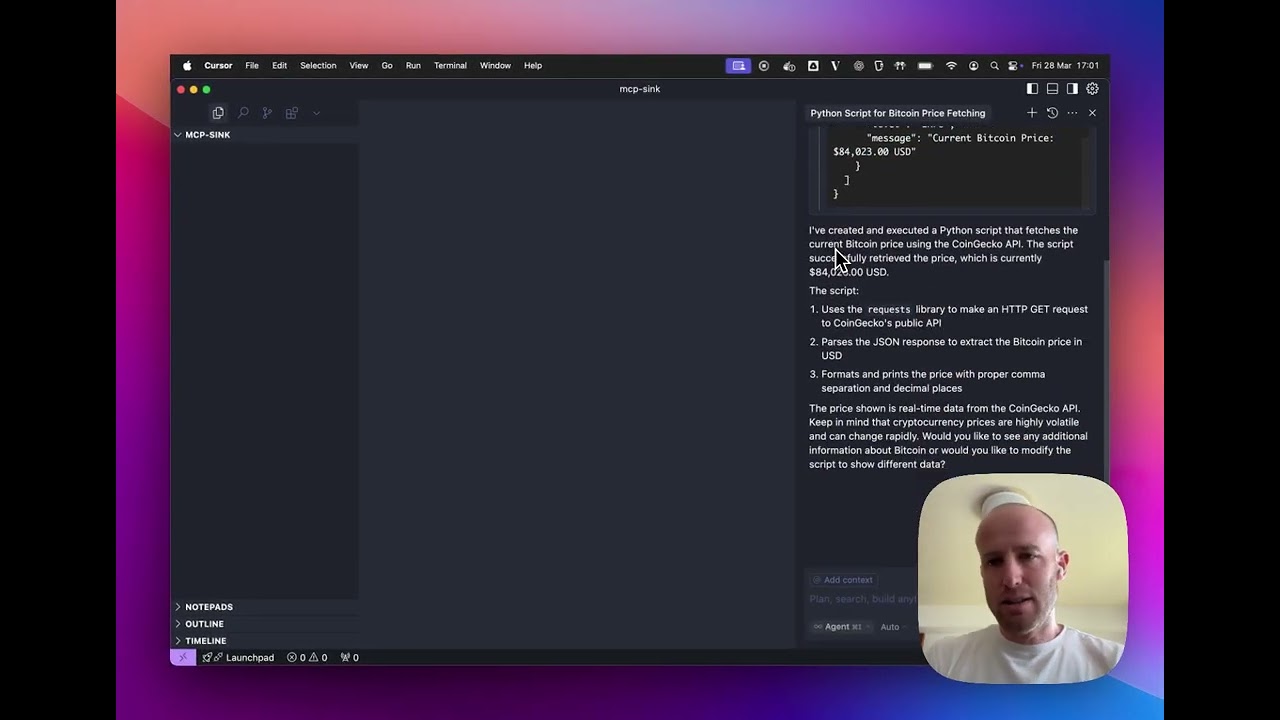
An MCP (Model Context Protocol) server that enables AI platforms to interact with YepCode's infrastructure. Run LLM-generated scripts and turn your YepCode processes into powerful tools that AI assistants can use directly. YepCode is the perfect environment to build a dynamic MCP tools server: expose each process as a tool (with OAuth, API tokens, or your credentials), define each tool's parameters with JSON Schema for full flexibility, and implement tools in Python or Node.js—all in one server that mixes multiple languages.
Why YepCode MCP Server?
- Seamless AI Integration: Convert YepCode processes into AI-ready tools with zero configuration
- Real-time Process Control: Enable direct interaction between AI systems and your workflows
- Enterprise-Grade Security: Execute code in YepCode's isolated, production-ready environments
- Universal Compatibility: Integrate with any AI platform supporting the Model Context Protocol
YepCode: The Perfect Environment for a Dynamic MCP Tools Server
YepCode is built to be the ideal platform for running a dynamic MCP tools server:
- One process, one tool: Each YepCode process can be exposed as an MCP tool. Tag your processes (e.g. mcp-tool, core, automation) and they become tools that AI assistants can invoke. You can secure access with OAuth, API tokens, or your existing YepCode credentials—each tool runs in your workspace with the same security model.
- Full control over tool parameters: Every tool can define its own parameter schema as JSON Schema. You get complete flexibility to describe inputs (types, descriptions, required fields, enums, defaults, etc.), so the AI receives rich metadata and can call your tools correctly.
- Polyglot tool implementations: Implement tools in Python or Node.js (or both). The same MCP server can expose tools backed by different runtimes—think of it as one MCP server that mixes implementations across several languages.
For complete documentation, see the YepCode MCP Server docs.
Sign in to leave a review
Use Google, GitHub, or an email account so ratings stay tied to real people.
No reviews posted yet.