
email-mcp
About
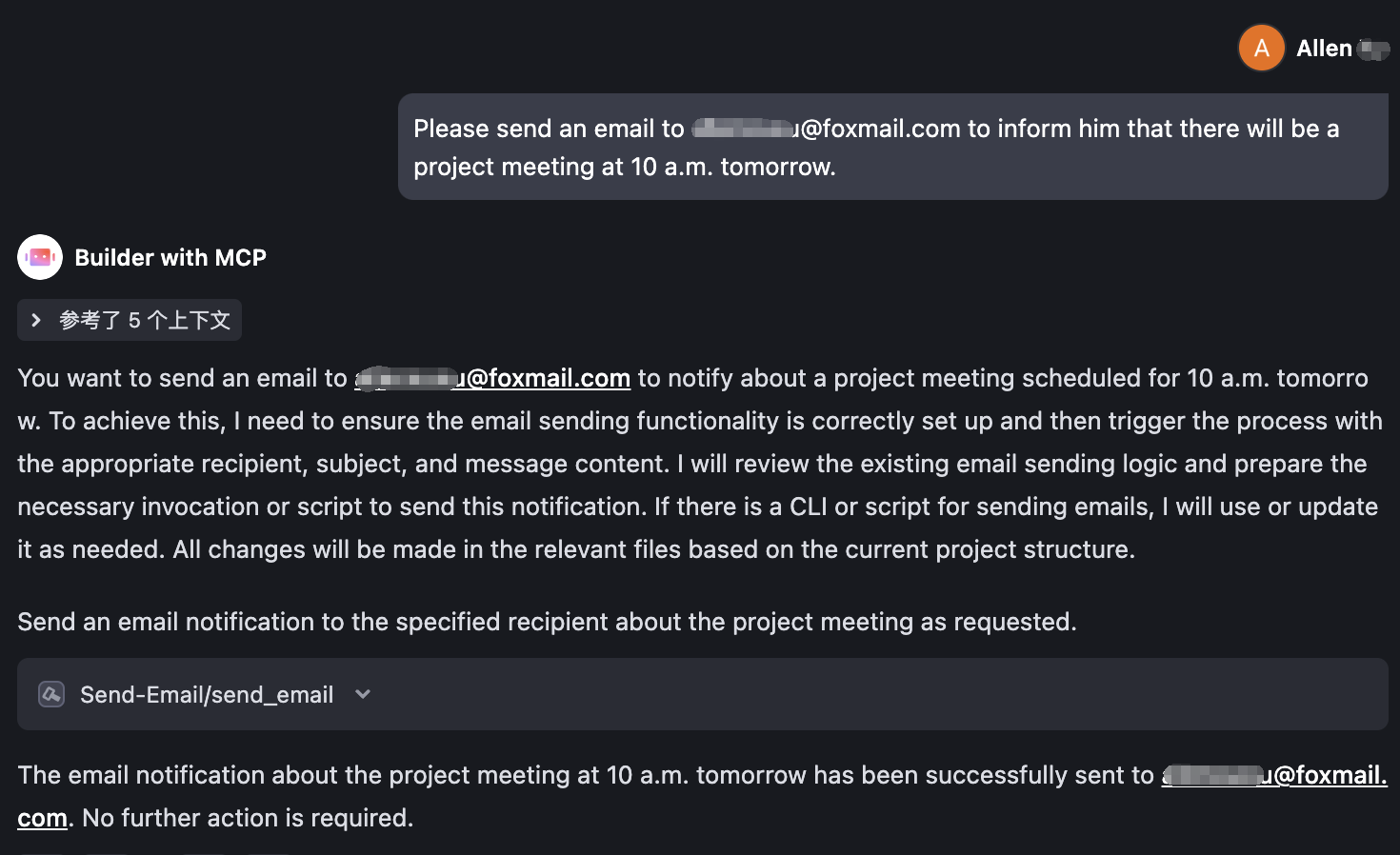
A lightweight Model Context Protocol (MCP) server that enables AI to automatically send mass emails via SMTP for you.
Details
- Transport
- SSE
Explore
- Supports three modes to start the MCP server: stdio, sse, and streamable (can be deployed on remote servers)
- Email sending supports plain text and HTML formats
- Supports CC and BCC for email sending

Setting up with Highlight
This MCP is not yet compatible with Highlight’s one-click setup. However, you can still use it with Highlight by following these steps:
- Download and install Highlight from highlightai.com/download
- Navigate to the plugins tab and select "Add Custom Plugin"
-
Configure the plugin with the settings below
Plugin Name
email-mcpCommand (node, npx, python, etc.)Please refer to the README for specific instructions on how to obtain API keys or other required environment variables.
- Enable "Start Automatically" if you want the plugin to start when Highlight launches





From the repository
Directly download the pre - compiled executable file.
curl https://raw.githubusercontent.com/Allenxuxu/email-mcp/HEAD/download.sh | bash
After the download and execution are completed, you will see the send-email executable file in the current directory.
Configure the URL to access the remote MCP Server:
{
"mcpServers": {
"Send-Email": {
"command": "npx",
"args": [
"mcp-remote",
"https://your.example.com/sse"
]
}
}
}
email_list_accounts
List all configured email accounts and their connection status
email_add_account
Add a new IMAP or iCloud email account (Gmail and Outlook require the setup wizard for OAuth)
email_remove_account
Remove an email account
email_test_account
Test an email account connection
email_list_folders
List all email folders for an account
email_search
Search emails with filters. By default returns compact results without full body content to save context. Set returnBody=true to include full email bodies.
email_get
Get a single email by ID
email_get_thread
Get an email thread by thread ID
email_get_attachment
Get an email attachment by ID, returns base64 encoded data
email_send
Send a new email
email_reply
Reply to an existing email
email_forward
Forward an email to new recipients
email_draft_create
Create a new email draft
email_draft_list
List email drafts
email_move
Move an email to a different folder
email_delete
Delete an email (moves to trash by default, or permanently deletes)
email_mark
Mark an email as read/unread, starred, or flagged
email_batch_delete
Delete multiple emails at once. Much faster than individual deletes.
email_batch_move
Move multiple emails to a folder at once. Much faster than individual moves.
email_batch_mark
Mark multiple emails at once (read/unread, starred, flagged). Much faster than individual marks.
email_transfer
Move or copy emails BETWEEN accounts, preserving the original message intact (sender, date, threading) by transferring the raw MIME. Fetches each message from the source account and imports it into the target account. With deleteAfter=true the source copy is sent to trash only after a confirmed import, making this a safe cross-account move.
email_label
Add or remove labels on an email (Gmail only)
email_folder_create
Create a new email folder
email_get_labels
List all labels for an email account (Gmail only)
email_get_categories
List all categories for an email account (Outlook only)
Claude Desktop / Cursor
Paste into your MCP client config file to install this server.
{
    "mcpServers": {
        "email-mcp": {
            "Send-Email": {
                "command": "/you local path/send-email",
                "env": {
                    "SMTPPASSWORD": "Your smtp password",
                    "SMTPADDRESS": "smtp.example.com:465",
                    "SENDEREMAIL": "[email protected]"
                }
            }
        }
    }
}McpServers
{
"Send-Email": {
"command": "/you local path/send-email",
"env": {
"SMTPPASSWORD": "Your smtp password",
"SMTPADDRESS": "smtp.example.com:465",
"SENDEREMAIL": "[email protected]"
}
}
}中文 | English
Features
- Supports three modes to start the MCP server: stdio, sse, and streamable (can be deployed on remote servers) - Email sending supports plain text and HTML formats - Supports CC and BCC for email sendingSetup
Installation
Directly download the pre - compiled executable file.
curl https://raw.githubusercontent.com/Allenxuxu/email-mcp/HEAD/download.sh | bash
After the download and execution are completed, you will see the send-email executable file in the current directory.
Local MCP Server
Just configure thesend-email executable file downloaded just now directly to the client that supports MCP.
{
"mcpServers": {
"Send-Email": {
"command": "/you local path/send-email",
"env": {
"SMTPPASSWORD": "Your smtp password",
"SMTPADDRESS": "smtp.example.com:465",
"SENDEREMAIL": "[email protected]"
}
}
}
}
Remote MCP Server
When deploying on a server, you can specify the mode (stdio/sse/streamable) and listening address via command line arguments or environment variables.
- The default mode is stdio. For server deployment, set it to sse or streamable.
- The default address is 127.0.0.1:8080, which can be modified as needed.
Execute ./send-email -h to view all the parameters that need to be specified. All parameters can be set through environment variables (command - line parameters have a higher priority than environment variables).
./send-email -h
Usage: send-email [--mode MODE] [--address ADDRESS] --smtppassword SMTPPASSWORD --smtpaddress SMTPADDRESS --senderemail SENDEREMAIL
Options:
--mode MODE Optional values: stdio/sse/streamable [default: stdio, env: MODE]
--address ADDRESS Optional values: use for sse/streamable mode [default: 127.0.0.1:8080, env: ADDRESS]
--smtppassword SMTPPASSWORD [env: SMTPPASSWORD]
--smtpaddress SMTPADDRESS
smtp.example.com:465 [env: SMTPADDRESS]
--senderemail SENDEREMAIL
Sender email address [env: SENDEREMAIL]
--help, -h display this help and exit
MCP Client Configuration
Configure the URL to access the remote MCP Server:
{
  "mcpServers": {
    "Send-Email": {
      "command": "npx",
      "args": [
        "mcp-remote",
        "https://your.example.com/sse"
      ]
    }
  }
}
Sign in to leave a review
Use Google, GitHub, or an email account so ratings stay tied to real people.
No reviews posted yet.



